- Tip: Before you begin, make sure you know the email and password for the iTunes account registered to the Apple device you are using.
- Locate and tap the App Store icon.

- In the App Store, click the Search button at the bottom of the screen. Type in SDL Field and hit search.
- The SDL Field app will show up in the search results, tap on Install on the right side of your screen. (Note: Our screengrab says Open instead of Install since we already have it installed.)
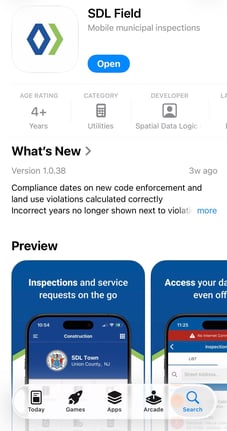
- After tapping on Install, you may be prompted to log in with your iTunes account. Enter the email and password associated with the Apple device to proceed with the installation.
- Once the install is complete, you can either tap Open or navigate to your home screen and click the SDL Mobile app to open the app.
- To sign in to SDL Mobile, use your SDL Desktop username and password and make sure to select your town.
English
![SDL - 2025 New Logo.png]](https://help.getsdl.com/hs-fs/hubfs/SDL%20-%202025%20New%20Logo.png?height=40&name=SDL%20-%202025%20New%20Logo.png)