![SDL - 2025 New Logo.png]](https://help.getsdl.com/hs-fs/hubfs/SDL%20-%202025%20New%20Logo.png?height=40&name=SDL%20-%202025%20New%20Logo.png)
Property Items
Property Items have been around for several years. Their general purpose is to show a warning on the info pane or as a user prompt when a condition exists on a property that you want to make other users/departments aware of. When users in Zoning, Construction and Engineering begin a new application and link it to a property with a property item a User Prompt will display showing all items on that property. This does not stop a user from continuing the new application but is a simple warning that additional actions may be needed before you issue an application. Common uses for this are below but this can be used for any warning you may want to put on a whole property.
- Daniel’s Law
- Flood Zone
- Historic Districts
- Conflict of Interest properties for construction permits
- Liens
- Board Conditions
- Dangerous Pet
- Hazardous Condition
- COAH
- Septic System
User Prompt - Users can double click an item to review additional info on the form
Entry Form
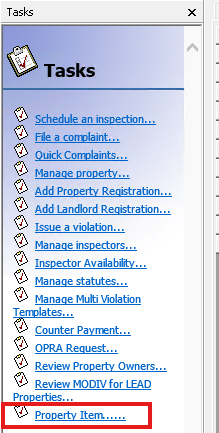
Can be accessed from all Task lists and the Property Item Datagrid under General. Permission and datagrids will be needed.
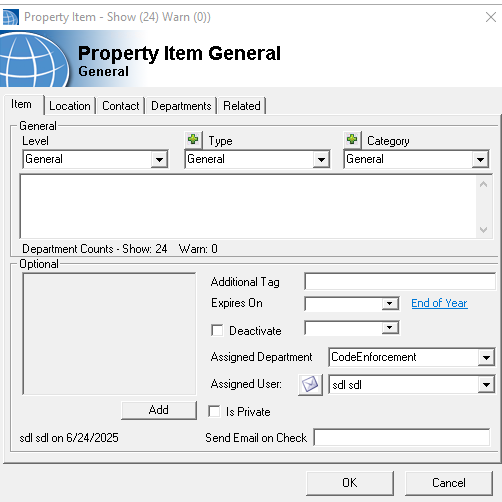
Level is a hard coded list to provide basic warning levels, User prompt is required to have a visual prompt show.
Type and Category are town defined lists to provide labeling and organization.
Optional items are not required but can help in organizing your items but note the Deactivate and Send Email options. Deactivate will remove this item from the info pane and application checks. Send email is useful if another user would like to be notified if this property was called on from an application. One use is for Daniel’s Law custodians can now know an action is taking place on a listed property.
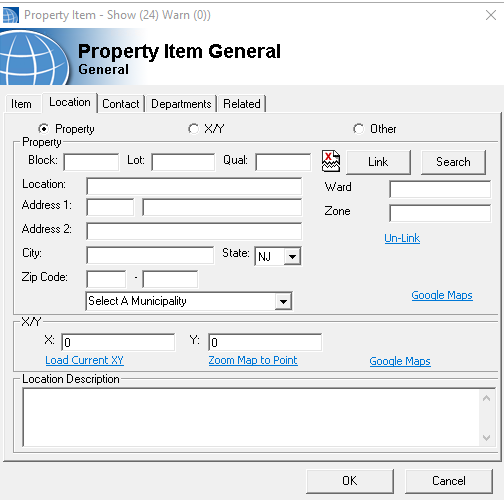
Location
Currently this only works with linked properties and block and lot values are required.