![SDL - 2025 New Logo.png]](https://help.getsdl.com/hs-fs/hubfs/SDL%20-%202025%20New%20Logo.png?height=40&name=SDL%20-%202025%20New%20Logo.png)
All forms with Block\Lot\Qualifier entry boxes have a Search button in addition to a link button. This will allow you to find Tax properties based on Block, Address, or Owner name.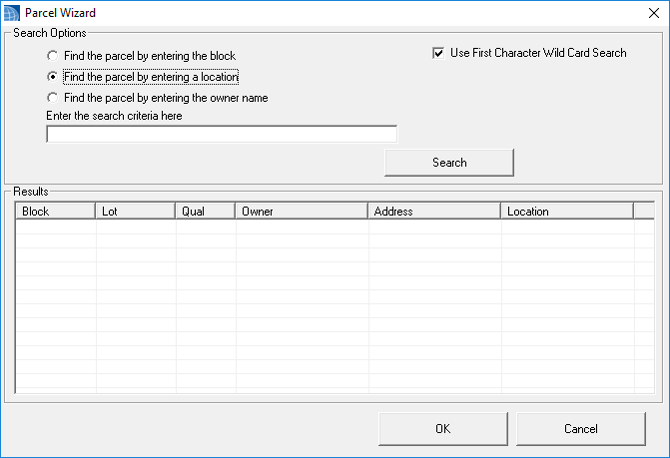
Choose the radial option you want to search on and enter a value in the criteria box. All searches use wildcard logic, so returned values will be any with the search criteria. This also means you dont have to type the whole value you want to search. You can uncheck the Use First Character option if you want the value to be exact at the beginning. This is helpful for street addresses that could return 1182 Main St when searching 182 Main St.
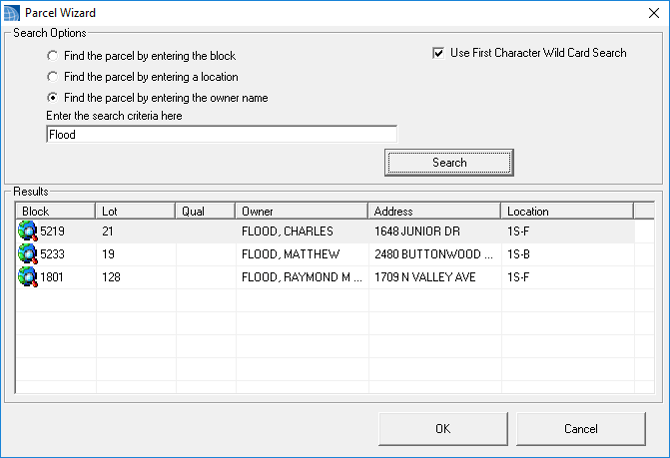
After entering a value and clicking search all valid returns are listed on the bottom. Select the value you want and click OK to return to the main form