![SDL - 2025 New Logo.png]](https://help.getsdl.com/hs-fs/hubfs/SDL%20-%202025%20New%20Logo.png?height=40&name=SDL%20-%202025%20New%20Logo.png)
Property Notification can be used to warn users of an issue on a property. You can set up the warning as either a label on the info pane or a user prompt when a user links a new application to a property. Note: This is only a warning and does not prevent a user from doing an application.
Clients have used this feature for:
- Flagging properties that are in a historic district and need historic board approval before being issued a zoning/construction permit. In this instance, the prompt will show when creating an application, issuing a permit and issuing a certificate.
- Flagging properties that are located in a floodplain
- Flagging properties that have a lien
- Flagging properties with a vicious animal
- Flagging properties that need other board reviews
There are two ways to use this feature:
- You can add any individual property from the General | Property Items datagrid.
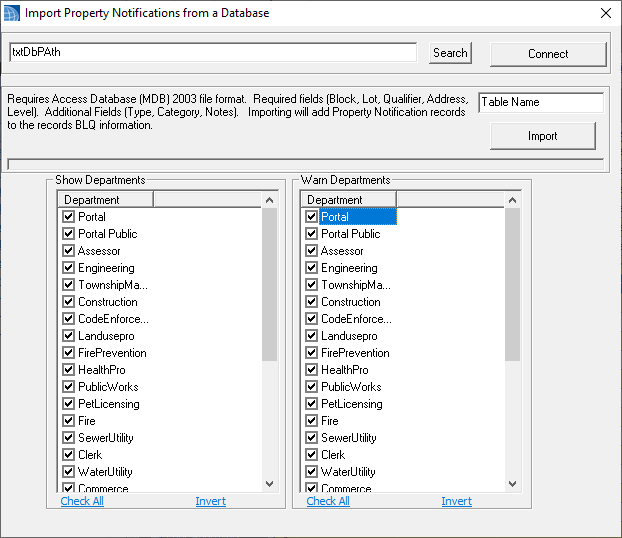
- We you can import a list of BLQ using our importer, which is a templated spreadsheet. Link to importer: https://docs.google.com/spreadsheets/d/1hEcX9CPdWVnCqQFZJ2nH5FwKvZk-hseW/edit?usp=sharing&ouid=113955726760151551845&rtpof=true&sd=true
How To User our Importer:
- When filing in the template, each row should be its own property.
- Block, Lot, Qualifier - These are the most important values as they are the link to a property. The values should match exactly what's in your MODIV tax data.
- Address - this does not have to be filled in but will be used if the BLQ do not match a record. its also a good reference when filling in the spreadsheet
- Notes - This refers to any general comments that you want to be added to the Property Notification Record
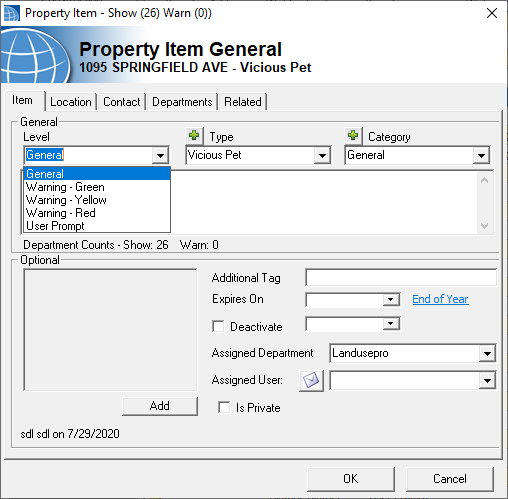
- Level - This is a hard-coded list that will determine the color of the label on the info pane (Valid Values: General, Warning - Green, Warning - Yellow, Warning - Red, User Prompt). If you want the users to be prompted when they start new applications, you must use "User Prompt" as the value.
- Category - This is a user-defined list per town. This value should match a value in your list. The values are meant as a way to organize your data.
- Type - Like Categories, Types are user-defined lists per town. This value should match a value in your list. The values are meant as a way to organize your data (ie Flood Plain, Historic District, Vicious Animal, etc..)

Once you have your template filled, please provide it to SDL's technical support team. We will then convert this to an access database to import. You will also need to let support know which departments should be notified (i.e. The Pet Licensing Department does not need to be notified about properties requiring a historic board review).