![SDL - 2025 New Logo.png]](https://help.getsdl.com/hs-fs/hubfs/SDL%20-%202025%20New%20Logo.png?height=40&name=SDL%20-%202025%20New%20Logo.png)
If directed by SDL staff to lot out of all RAS Sessions and restart, follow these steps:
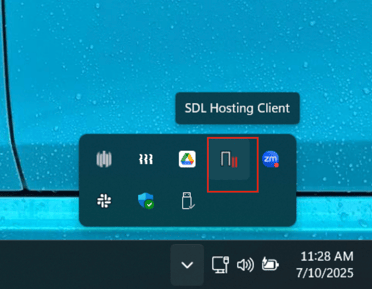
- Open the system tray on the bottom of your screen.
- Right click on the SDL Hosting Client icon highlighted in the screenshot below.
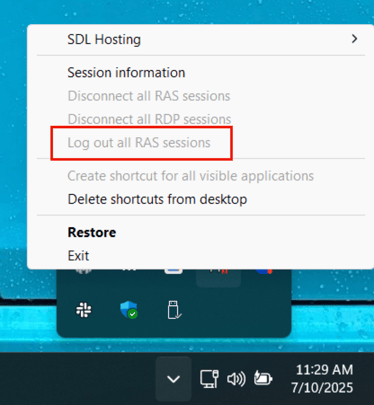
- Select “log out all RAS sessions.”