![SDL - 2025 New Logo.png]](https://help.getsdl.com/hs-fs/hubfs/SDL%20-%202025%20New%20Logo.png?height=40&name=SDL%20-%202025%20New%20Logo.png)
Default Download Folder
A new setting per user was added in the 23.3. Update. This will allow you to set the default location you want to download files from desktop. Although designed to help Hosted clients this can be helpful to On Premises clients as well. Note every time you log in will use this value but while you are logged into Desktop it will save the last folder location.
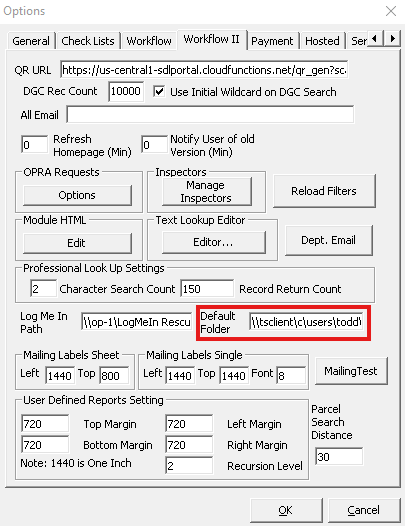
Hosted Clients will default to \\tsclient\c\users. We recommend you add to this by adding your windows log in name and the downloads folder like \\tsclient\c\users\”USERNAME”\downloads
You can add this by going to: Tools --> Options --> Workflow II tab
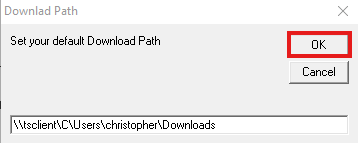
You can also update your default download location anytime by going to File --> Set Download Folder