![SDL - 2025 New Logo.png]](https://help.getsdl.com/hs-fs/hubfs/SDL%20-%202025%20New%20Logo.png?height=40&name=SDL%20-%202025%20New%20Logo.png)
SDL Desktop - Creating and Managing Pseudo Departments
Users can create pseudo departments and assign users to them to help further organize complaints and OPRA requests. The drop down for the pseudo departments will only show those users you have assigned to that department, rather than all active users.
Pseudo departments can be added in the Admin Console for additional town departments not in our general list of modules. You can assign per user in the admin Users Form.
Creating Pseudo Departments
- Visit the System Administrator Menu from the File dropdown in the Tool bar.
- Select the Departments menu item
-png.png?width=588&height=474&name=mceclip0%20(2)-png.png)
- Click Tools, Departments, Add Department
- Name the pseudo department and add a description if needed, then hit OK
-png.png?width=597&height=478&name=mceclip1%20(1)-png.png)
Adding Users to Pseudo Departments
- Navigate back to the System Administrator Menu
- Select Users
-png.png?width=586&height=476&name=mceclip2%20(1)-png.png)
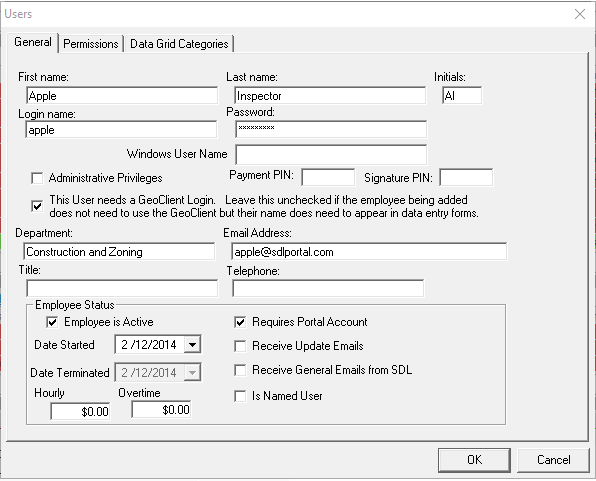
- Find the user you would like to add, and double click them
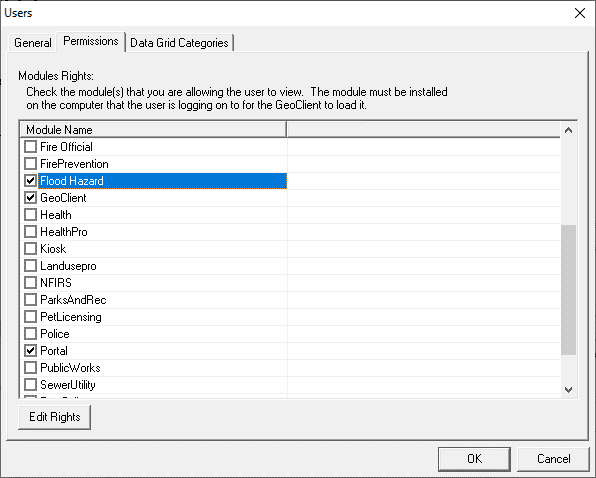
- Move to the Permissions tab and select the modules they should be added to
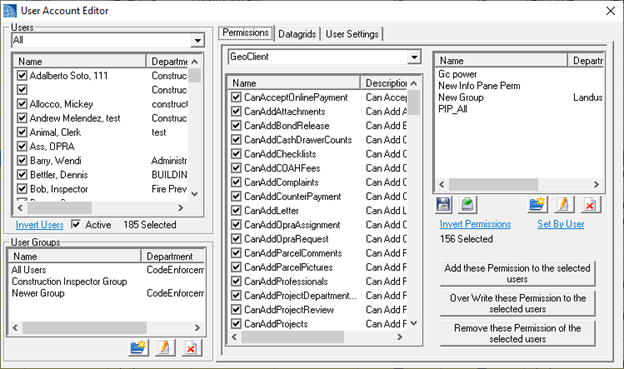
This has also been done from the User Account Editor.
- This can be accessed from the System section of the Datagrid, under Users.

- Double clicking any user on the top left will access the user form
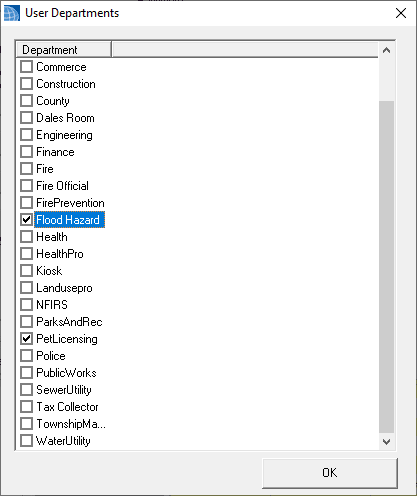
- Double Click on the user to open up their settings, and select User Departments
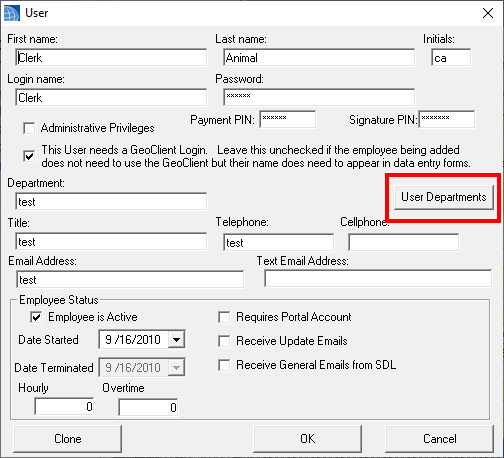
- Choose the departments you would like to add them to