![SDL - 2025 New Logo.png]](https://help.getsdl.com/hs-fs/hubfs/SDL%20-%202025%20New%20Logo.png?height=40&name=SDL%20-%202025%20New%20Logo.png)
SDL Desktop Update 24.3.1 - Construction - Using PIN codes to Track Permits Ready for Pick Up and Ready for Certificate
As New Jersey transitions to fully electronic permit tracking, the need increases for a more streamlined way to track when a permit is ready for issuance and pickup, and when it's ready for the Certificate to be issued.
Using the PIN code signature functionality, we are able to determine when all Tech Cards have been signed for Permit Issuance and Certificate Issuance. To show these permits, two new datagrids have been created. Homepage sections have also been updated to use this information and list permits ready for pick up and ready for certificate. The homepage change will only affect towns that have the Use PIN Codes option turned on.
*Please note, we added new fields to track which subcodes exist on a permit. This will require users to re-save their permits before they are displayed on this list view. Going forward, as new permits are created, this value will automatically populate, allowing you to see permits on these datagrids. Please contact support for assistance with adding the new datagrids, or if there are any questions.
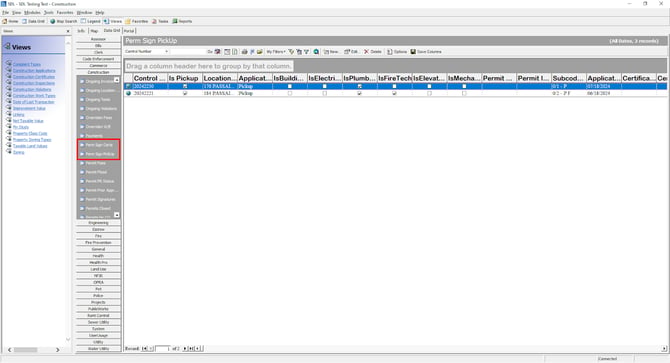
Permit Pickup/Ready to Issue Requirements
Permit is Not issued, abandoned or voided
Each Plan review on the permit is either signed, No Plans or signed Issuance
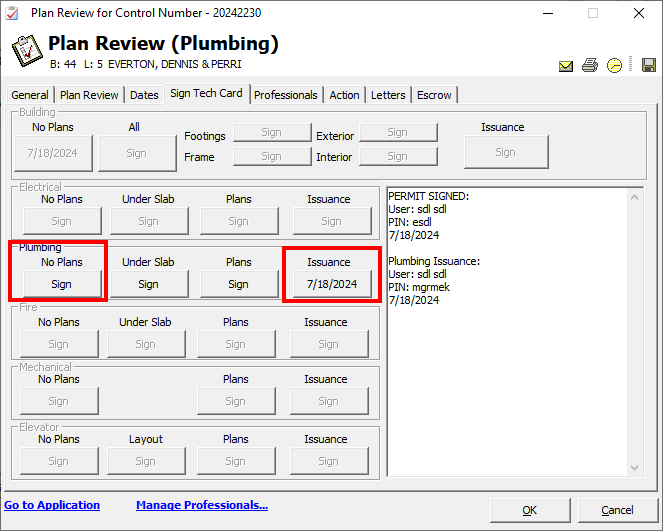
Certificate Ready to Issue Requirements
Permit Is Issued
Certificate is not signed
Application Status is set to Finals Passed
Each subcode has been Signed for Certificate Issuance