![SDL - 2025 New Logo.png]](https://help.getsdl.com/hs-fs/hubfs/SDL%20-%202025%20New%20Logo.png?height=40&name=SDL%20-%202025%20New%20Logo.png)
If you need a list of every permit on record for a specific address, you can pull it from the Property Search report in SDL Desktop. This search only covers Construction, so it returns construction permits and violations. You can use it to find a property’s full permit history, only its open permits, or construction permits and violations together.
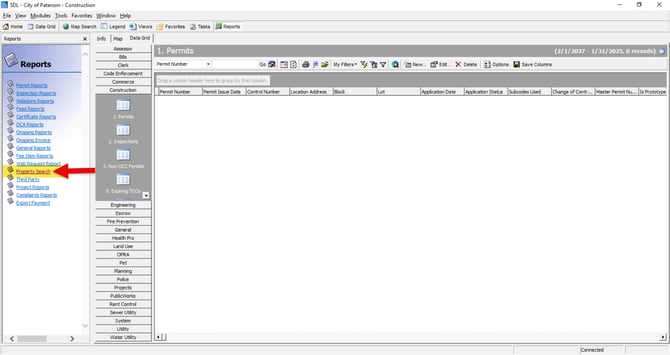
- Open Reports: Click Reports along the top of SDL Desktop. The Reports pane will open on the left side of the screen.
- Go to Property Search: From the Reports pane, select Property Search.
- Enter the property details: In the Block, Lot, and Qualifier fields, type in the block and lot (and the qualifier, if the property has one) for the address you’re looking for, then click Find. The matching address will appear along the bottom of the screen.
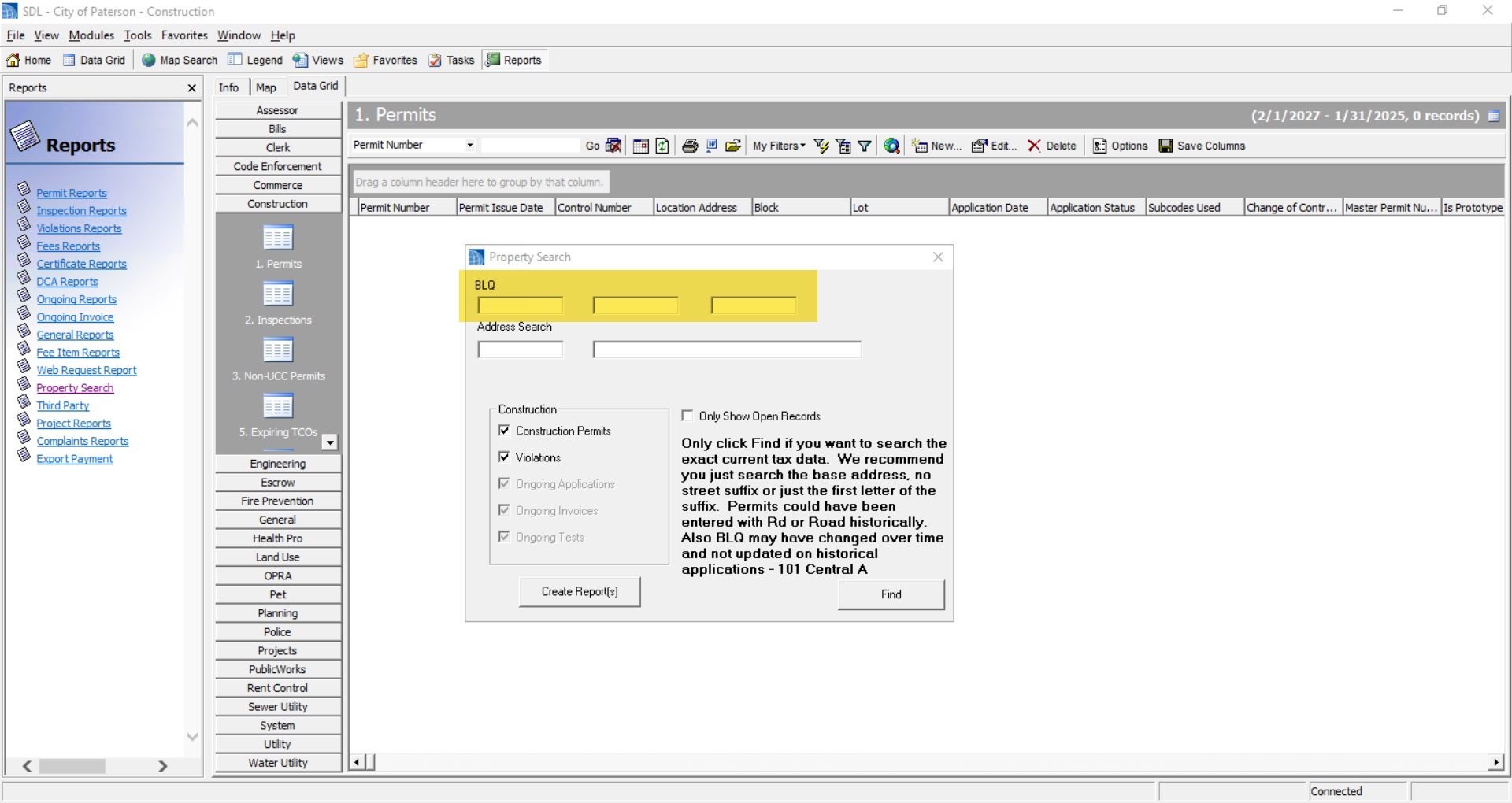
- Show only open permits (optional): If you only want to see permits that are still open, check the “Only show open records” box. This limits the results to open permits only. If you leave it unchecked, you’ll see all permits for the address, open and closed.
- Choose which record types to include: Keep the Construction Permits box checked to pull in construction permits. Keep the Violations box checked if you also want violations included in the results. If you uncheck Violations, only construction permits will show up.
- Click Create Reports and export and print report from there.