![SDL - 2025 New Logo.png]](https://help.getsdl.com/hs-fs/hubfs/SDL%20-%202025%20New%20Logo.png?height=40&name=SDL%20-%202025%20New%20Logo.png)
If your plan review status is set to Denied or Prescreen Incomplete, action is required before the review can proceed.
Correcting Plan Markups
A "Denied" status usually means there are specific "markups" (comments) on your plans that need correction.
- Open the Viewer: Click on a markup in the "Summary" or "Markups" section to see it on the plan.
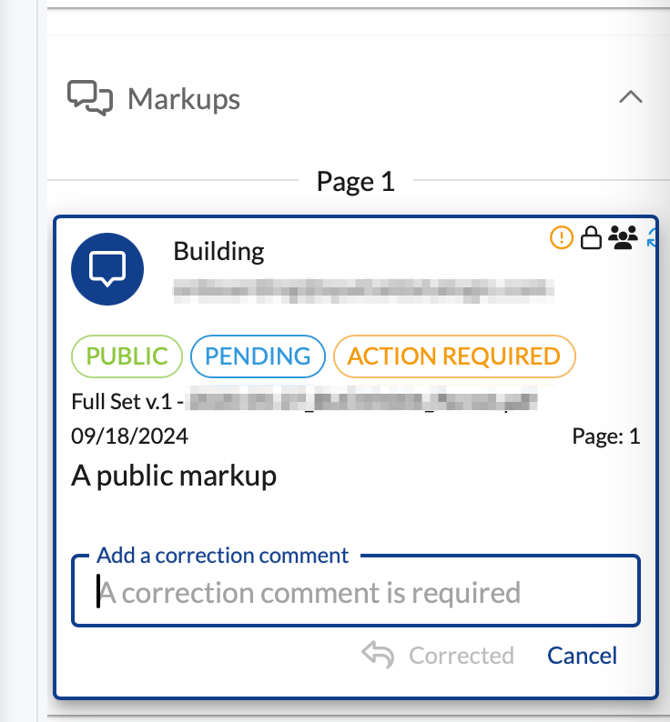
- Add Correction Comments:
- Find the markup in the right-side menu.
- Enter a correction comment in the required field.
- Click Corrected.
- Upload New Versions: You will typically need to upload a new version of the plans incorporating the changes. Ensure you select the "upload a new version" option to keep it linked to the original.
Resubmitting
You must mark every markup as corrected and complete all assigned tasks before the system will allow you to click Submit for Review again.