![SDL - 2025 New Logo.png]](https://help.getsdl.com/hs-fs/hubfs/SDL%20-%202025%20New%20Logo.png?height=40&name=SDL%20-%202025%20New%20Logo.png)
For a Windows PC: in SDL Hosting/Parallels, go to Connection Properties, then Display, then uncheck "Use primary monitor only." Note that if the scaling/resolution is different on the two monitors, the results may be inconsistent.
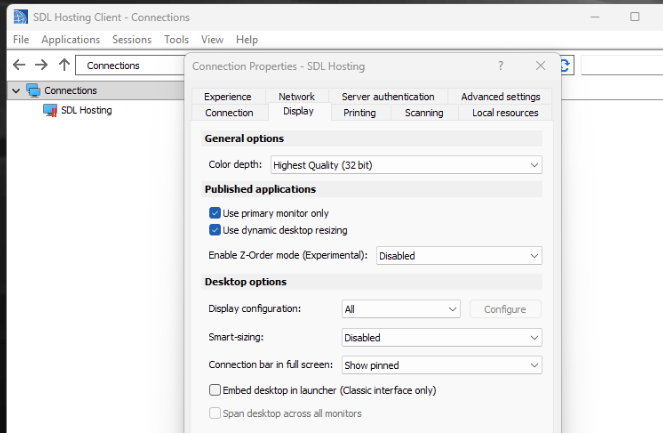
If you are using a Mac: open Parallels, then the gear/cog icon in the top right of the window (before connecting). You will see icons for each of those tabs in the screenshot above. Click the Display icon, then uncheck the box next to the option "Use primary monitor only."