![SDL - 2025 New Logo.png]](https://help.getsdl.com/hs-fs/hubfs/SDL%20-%202025%20New%20Logo.png?height=40&name=SDL%20-%202025%20New%20Logo.png)
In the Construction module, each subcode can have a default inspector who is automatically selected whenever that subcode is chosen for work on a permit. If your department changes who handles a subcode, you can update the default yourself in Manage Inspectors.
- Open Manage Inspectors. In the Construction module, go to Tasks and select Manage Inspectors.
- Select the inspector. Highlight the person you want to set as the default.
- Click Assign Default Subcodes. This button is on the Manage Inspectors screen.
- Choose the subcode(s). Check the subcode or subcodes that person should be the default for, then click OK.
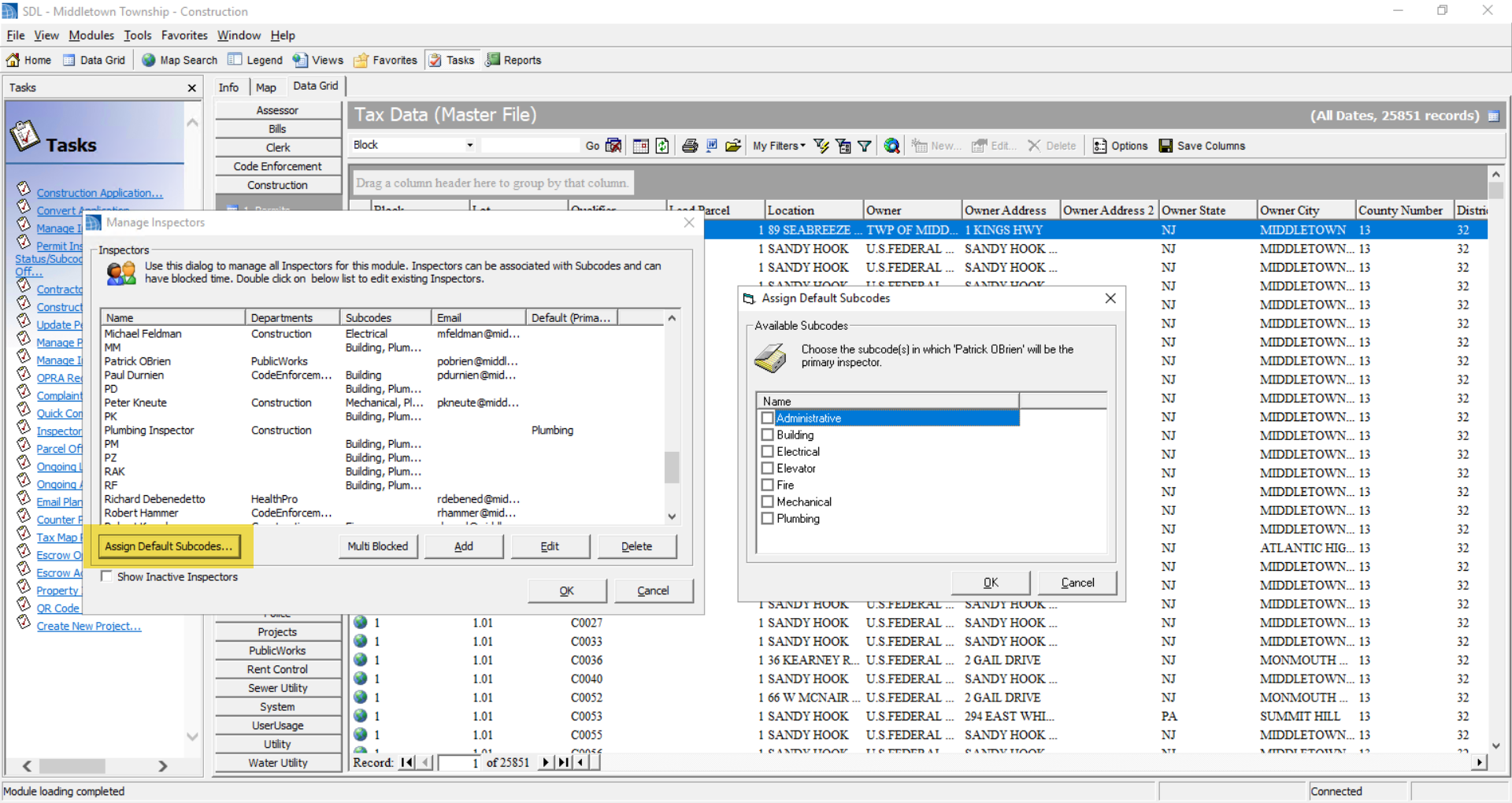
That person will now come up automatically as the default inspector for the subcodes you checked. To switch to someone else later, repeat the steps with the new inspector highlighted.