![SDL - 2025 New Logo.png]](https://help.getsdl.com/hs-fs/hubfs/SDL%20-%202025%20New%20Logo.png?height=40&name=SDL%20-%202025%20New%20Logo.png)

-
From the Info tab in the Health Pro module in SDL Desktop, scroll down to the Portal Requests section.
-png.png?width=670&height=595&name=1_450x400_z-undefined_mz-undefined_mi-1_ti-0_ar-0_cr-0_si-0_fr-0_tb-1_t-_ftc-_ftb-_mc-_mfc-_complete%20(3)-png.png)
-
Find a Septic Pumping Request, then click Process.
-png.png?width=450&height=400&name=2_450x400_z-undefined_mz-undefined_mi-1_ti-0_ar-0_cr-0_si-0_fr-0_tb-1_t-_ftc-_ftb-_mc-_mfc-_complete%20(3)-png.png)
-
The Septic Pumping Application needs to be associated with a Sewage Permit Application. If nothing is listed click Create New, or click Add to Selected if a Sewage Permit Application is listed.
-png.png?width=488&height=434&name=3_450x400_z-undefined_mz-undefined_mi-1_ti-0_ar-0_cr-0_si-0_fr-0_tb-1_t-_ftc-_ftb-_mc-_mfc-_complete%20(3)-png.png)
-
The Sewage Permit Application will open. Enter any additional information in the General tab as required.
-png.png?width=450&height=400&name=4_450x400_z-undefined_mz-undefined_mi-1_ti-0_ar-0_cr-0_si-0_fr-0_tb-1_t-_ftc-_ftb-_mc-_mfc-_complete%20(3)-png.png)
-
Enter any additional information in the Detail tab as required.
-png.png?width=450&height=400&name=5_450x400_z-undefined_mz-undefined_mi-1_ti-0_ar-0_cr-0_si-0_fr-0_tb-1_t-_ftc-_ftb-_mc-_mfc-_complete%20(3)-png.png)
-
To issue a Permit, click New in the Permits tab.
-png.png?width=450&height=400&name=6_450x400_z-undefined_mz-undefined_mi-1_ti-0_ar-0_cr-0_si-0_fr-0_tb-1_t-_ftc-_ftb-_mc-_mfc-_complete%20(3)-png.png)
-
The Sewage Permit will now open. Enter any additional information in the General tab as required.
-png.png?width=450&height=400&name=7_450x400_z-undefined_mz-undefined_mi-1_ti-0_ar-0_cr-0_si-0_fr-0_tb-1_t-_ftc-_ftb-_mc-_mfc-_complete%20(3)-png.png)
-
Any associated Fees or Payments can be added in the Payments tab.
-png.png?width=450&height=400&name=8_450x400_z-undefined_mz-undefined_mi-1_ti-0_ar-0_cr-0_si-0_fr-0_tb-1_t-_ftc-_ftb-_mc-_mfc-_complete%20(3)-png.png)
-
The Permit can be Printed or Exported in the Permit tab.
-png.png?width=450&height=400&name=9_450x400_z-undefined_mz-undefined_mi-1_ti-0_ar-0_cr-0_si-0_fr-0_tb-1_t-_ftc-_ftb-_mc-_mfc-_complete%20(3)-png.png)
-
Any associated Inspections can be added in the Inspections tab.
-png.png?width=450&height=400&name=10_450x400_z-undefined_mz-undefined_mi-1_ti-0_ar-0_cr-0_si-0_fr-0_tb-1_t-_ftc-_ftb-_mc-_mfc-_complete%20(3)-png.png)
-
Information for any User Defined fields set up by your municipality to record additional information can be entered in the Data tab.
-png.png?width=450&height=400&name=11_450x400_z-undefined_mz-undefined_mi-1_ti-0_ar-0_cr-0_si-0_fr-0_tb-1_t-_ftc-_ftb-_mc-_mfc-_complete%20(3)-png.png)
-
Details for the Septic Pumping can be added in the Septic Pumping tab. Click New or Edit.
-png.png?width=450&height=400&name=12_450x400_z-undefined_mz-undefined_mi-1_ti-0_ar-0_cr-0_si-0_fr-0_tb-1_t-_ftc-_ftb-_mc-_mfc-_complete%20(1)-png.png)
-
Enter any additional information in the Permit tab as required.
-png.png?width=450&height=400&name=13_450x400_z-undefined_mz-undefined_mi-1_ti-0_ar-0_cr-0_si-0_fr-0_tb-1_t-_ftc-_ftb-_mc-_mfc-_complete%20(1)-png.png)
-
Enter any additional information in the Septic Tank tab as required.
-png.png?width=450&height=400&name=14_450x400_z-undefined_mz-undefined_mi-1_ti-0_ar-0_cr-0_si-0_fr-0_tb-1_t-_ftc-_ftb-_mc-_mfc-_complete%20(1)-png.png)
-
Enter any additional information in the Pumping tab as required.
-png.png?width=450&height=400&name=15_450x400_z-undefined_mz-undefined_mi-1_ti-0_ar-0_cr-0_si-0_fr-0_tb-1_t-_ftc-_ftb-_mc-_mfc-_complete%20(1)-png.png)
-
Information for any User Defined fields set up by your municipality to record additional information can be entered in the Data tab.
-png.png?width=450&height=400&name=16_450x400_z-undefined_mz-undefined_mi-1_ti-0_ar-0_cr-0_si-0_fr-0_tb-1_t-_ftc-_ftb-_mc-_mfc-_complete%20(1)-png.png)
-
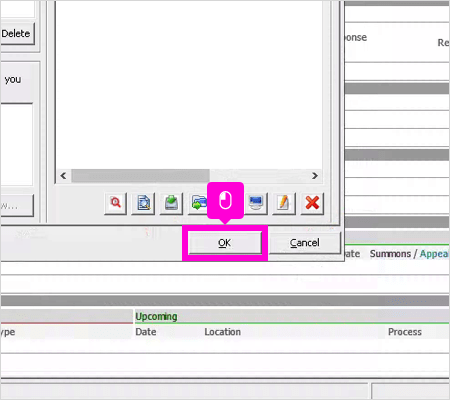
Enter any additional information in the Related tab as required. Click OK to exit.
-
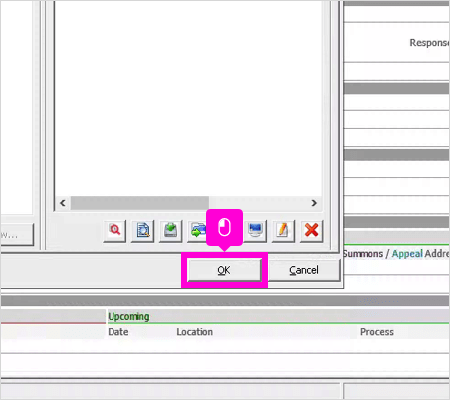
Enter any additional information in the Related tab of the Sewage Permit Application as required. Click OK to exit.