-
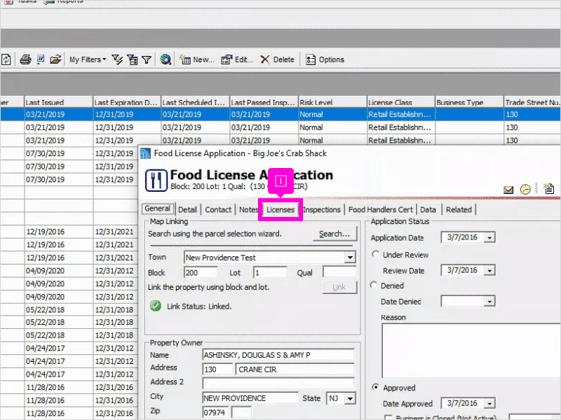
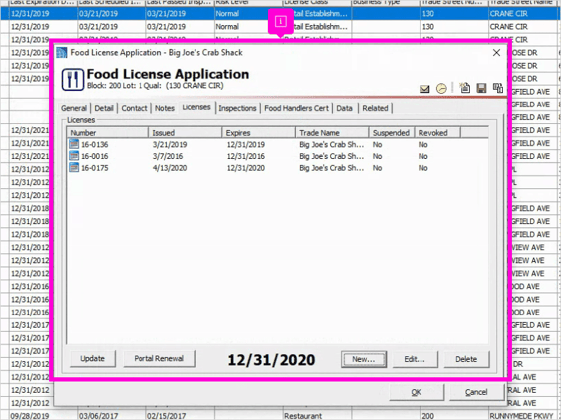
The first step is to open the Food License Application for the license you want to renew. Then click on the Licenses tab.
-
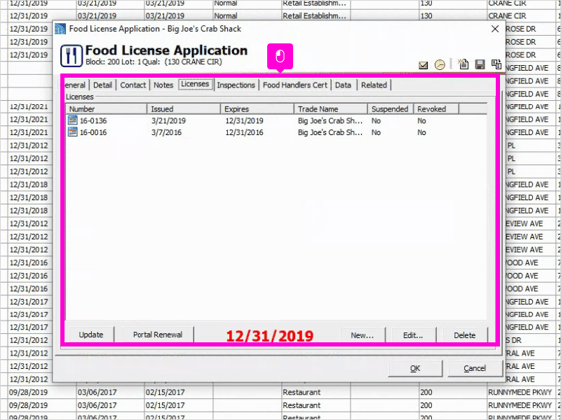
The Licenses tab shows the most recent license and its expiration date. To create a new license for the upcoming year, click the New button at the bottom.
-
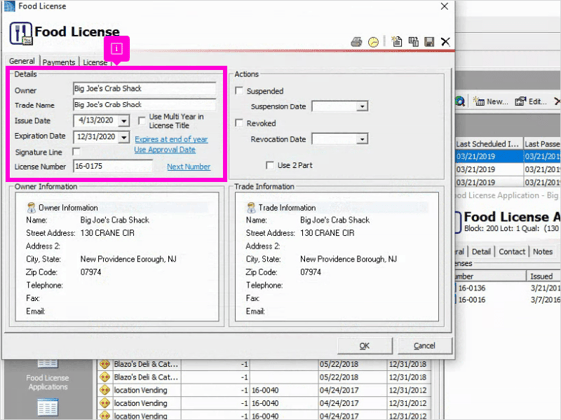
Review and update the Details section.
-
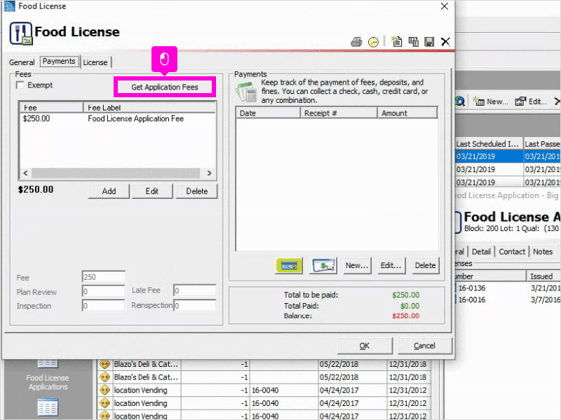
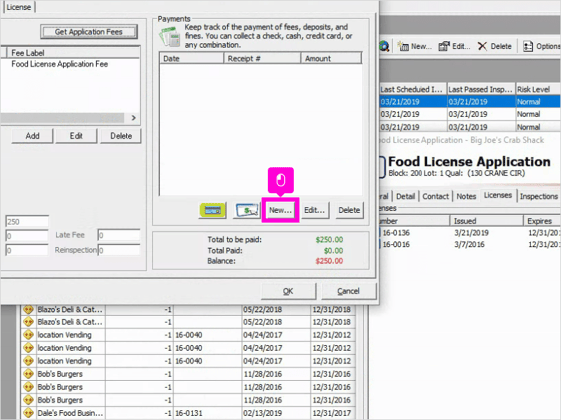
Next, in the Payments tab, click on Get Application Fees. A pop-up will ask if you want to reset the fees, click Yes. This will ensure the correct fees are loaded for this license.
-
When you are ready to enter the payment, click on the New button in the Payments section.|
-
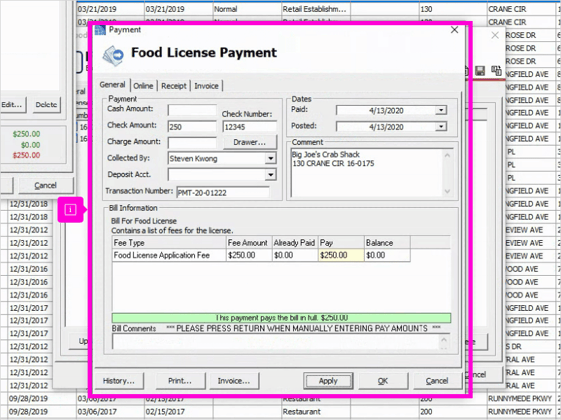
Enter the payment information and when you are finished, click the Apply button at the bottom. Then click OK to save and exit the payment.
-
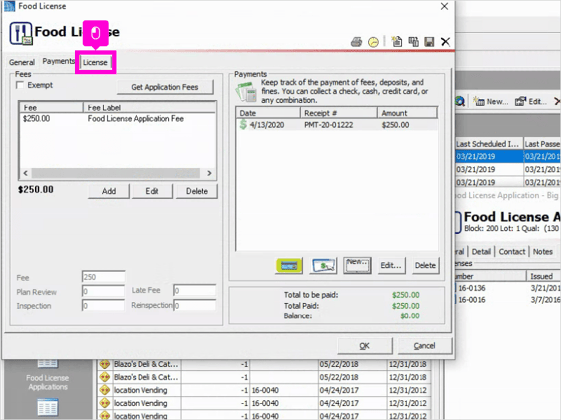
After exiting the Payment, click on the License tab.
-
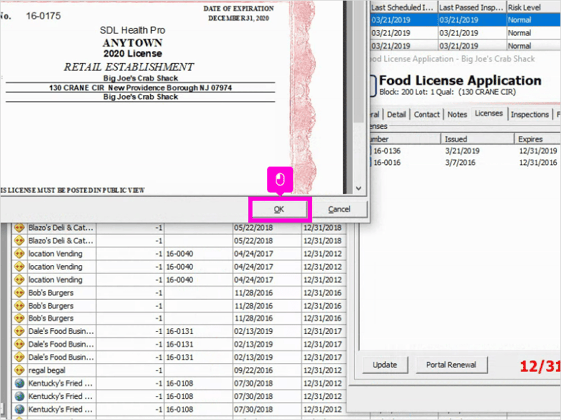
The License tab allows you to view or print the license. Remember to click OK at the bottom to save the new license.
-
Your new license will appear in the License tab of the Food License Application and the new expiration date will appear on the bottom.
English
![SDL - 2025 New Logo.png]](https://help.getsdl.com/hs-fs/hubfs/SDL%20-%202025%20New%20Logo.png?height=40&name=SDL%20-%202025%20New%20Logo.png)