![SDL - 2025 New Logo.png]](https://help.getsdl.com/hs-fs/hubfs/SDL%20-%202025%20New%20Logo.png?height=40&name=SDL%20-%202025%20New%20Logo.png)
Using the Multi Fee option will change how the invoice works. Instead of the invoice fee being based entirely on the NLHUs and Permits on the unit, you can add any type of fee you would like. This is particularly helpful for invoicing a Fine and tracking LHU payments per unit.
In the Tools Menu | Fire Prevention Options check off the Use Multi Fee
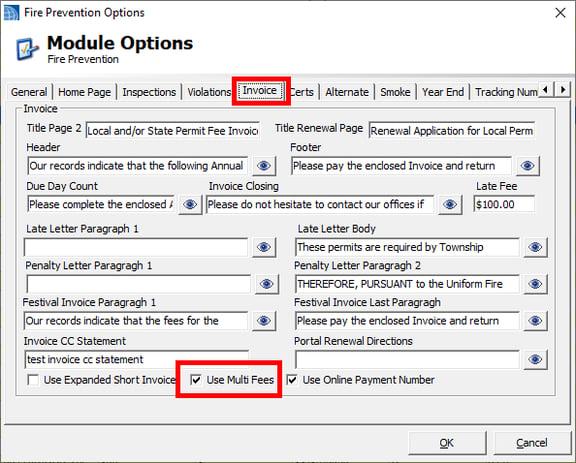
With the option set you will now be able to manage the Multi Fee control on the invoice
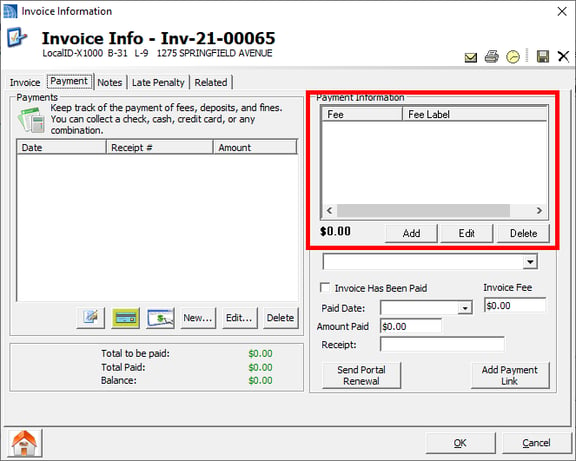
On the multi Fee Form enter the amount and choose the fee type you would want to associate it with. Call support if you need help adding additional Fee Types
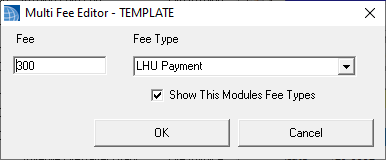
It is recommended to create templates on the Multi Fee Chooser form to speed up entry
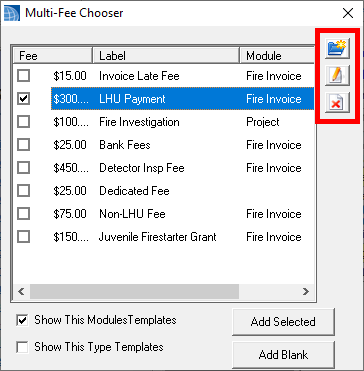
Based on the fees added you can now print your invoice.
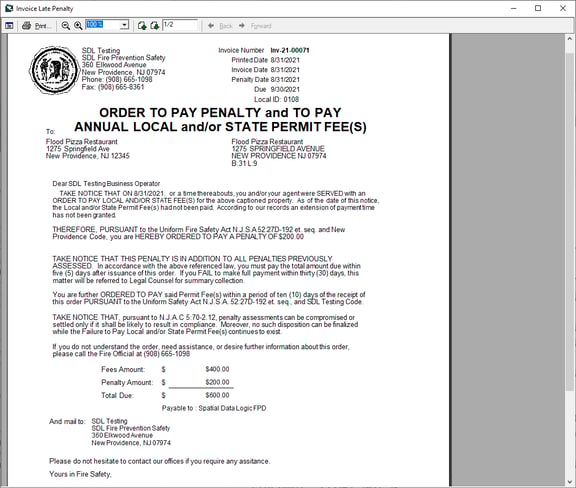
A new Invoice Report has been added to handle the many variations of fees you can now add
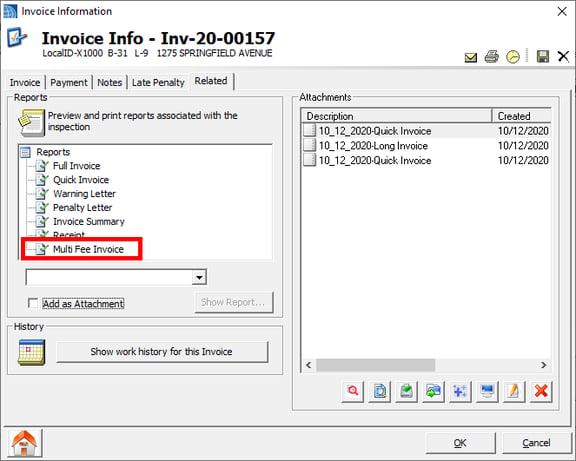
New Invoice
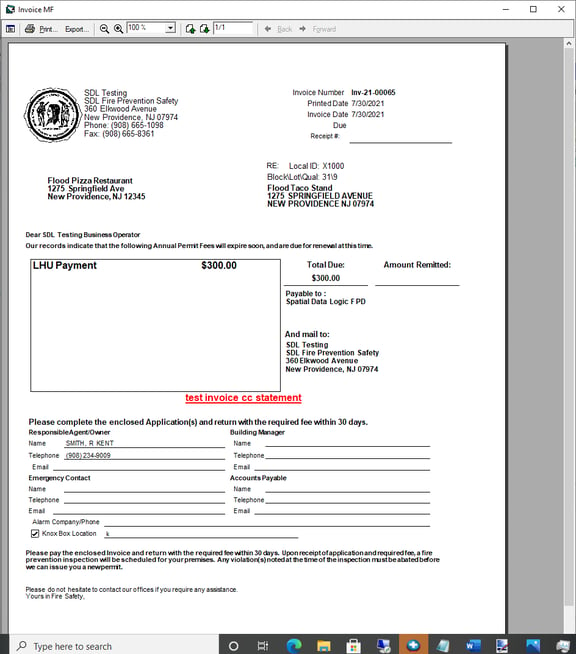
Remember you can now add a link to Pay online if you have a municipay account
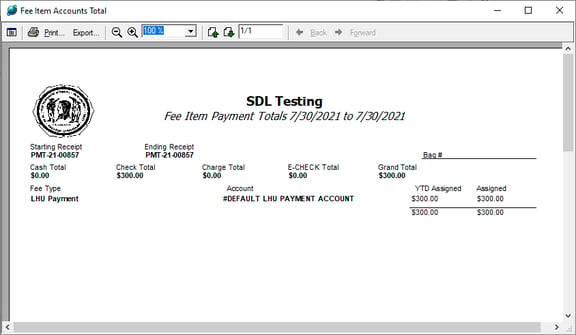
Payments can be reviewed on the Fee Item Reports
Please note with this option turned on all Penalty Fines must be paid on the invoice. You will no longer have access tot he payments control on the violation form
Late Fee
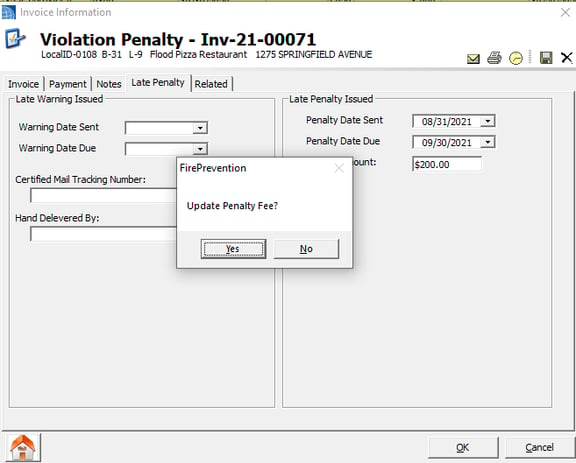
If you would like to charge a late fee add the amount to the Late Penalty Tab, just as before. This will now prompt you to update the Penalty Fee on the invoice. If you don't have an Fee Item for Invoice Late Fee, it will add it, if you do it will update to your new value.
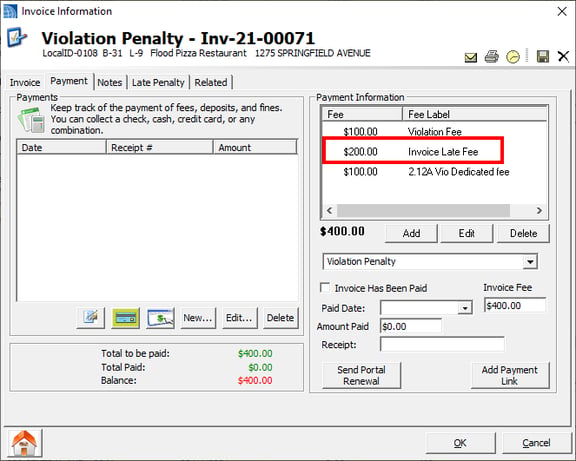
Please note the Invoice Late Fee item is used on Fee Item Reports. The value you enter on the Late Penalty Tab is used on Fire Prevention State Penalty letter Report.