![SDL - 2025 New Logo.png]](https://help.getsdl.com/hs-fs/hubfs/SDL%20-%202025%20New%20Logo.png?height=40&name=SDL%20-%202025%20New%20Logo.png)
Step 1: Make sure you are in the Construction module. Go to Modules > Construction in the top menu.
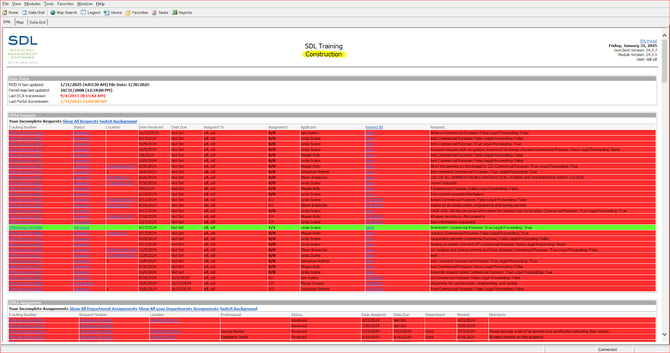
Step 2: Go to Tools > Construction Options in the top menu and then select the DCA Tab.
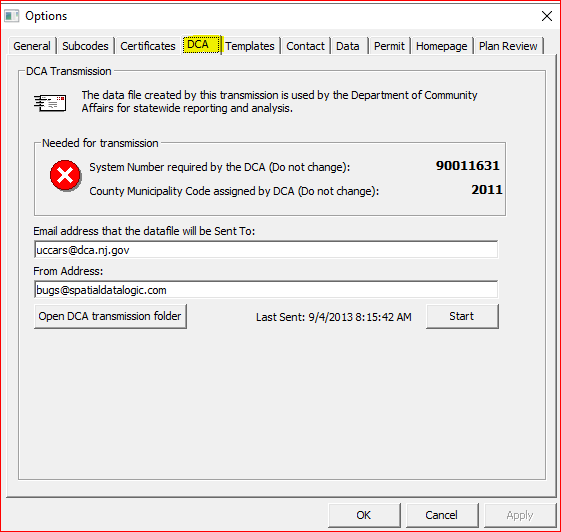
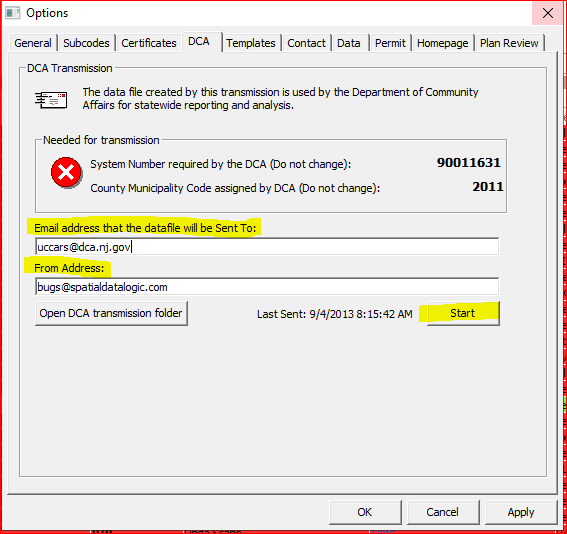
Step 3: On this screen, you should check to make sure that the email address being sent to is: uccars@dca.nj.gov. You should also check to make sure that the email address being sent from is your email address. When you are ready to send their data to the DCA, you should click the “Start” button.
Step 4: Transmit the data. After you click the “Start” button on the above window, the following window will appear. Click “Transmit” and wait for the process to finish (a meter will fill at the bottom of the window). The first time a town does this, it will take a while, but on subsequent transmissions, it should be quick.
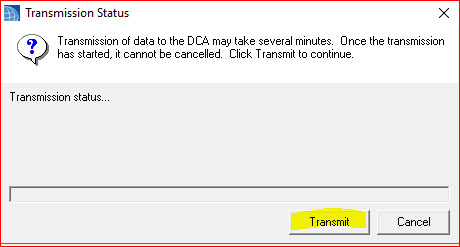
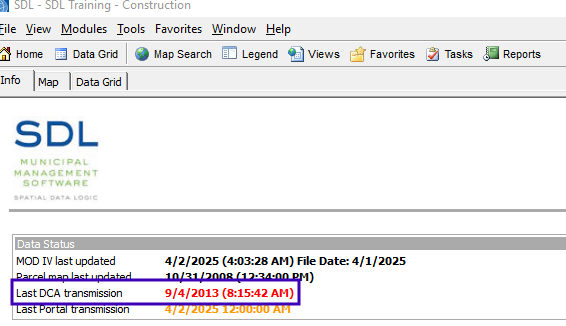
Once the transmission is complete, you can close the window and click OK to exit Construction Options. You should then see the updated date next to “Last DCA transmission” on your Home page.