![SDL - 2025 New Logo.png]](https://help.getsdl.com/hs-fs/hubfs/SDL%20-%202025%20New%20Logo.png?height=40&name=SDL%20-%202025%20New%20Logo.png)
SDL Portal Pet Licensing Update
SDL recently released a software update to help streamline the Pet Licensing process for both staff and citizens. Among other things, users will find a complete redesign of the Pet License Web Request user interface. The process now also allows public users to search for their pets during license renewal requests and allows for the completion of the license payment during the web request process.
*Please note that the new Pet License payment option is turned off by default. SDL Administrators must call Support in order to turn the feature on, or can opt to keep the new payment option turned off.
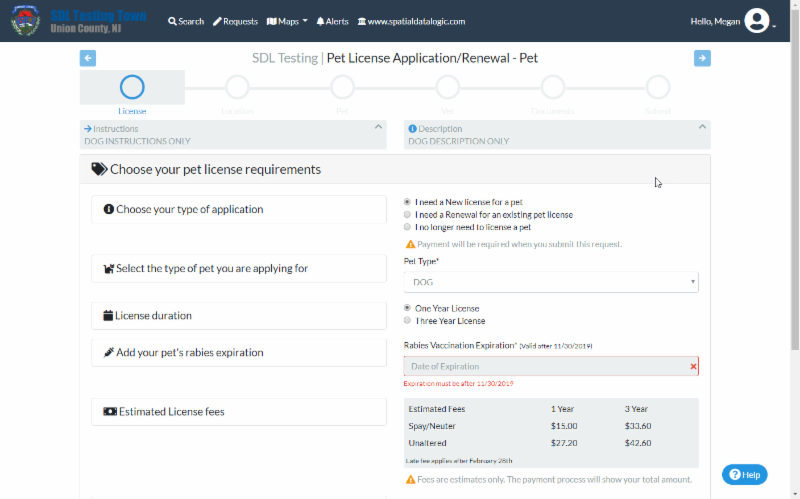
The updated user interface allows for all important license information to be shown and edited on the initial page of the application.
Search for Pets
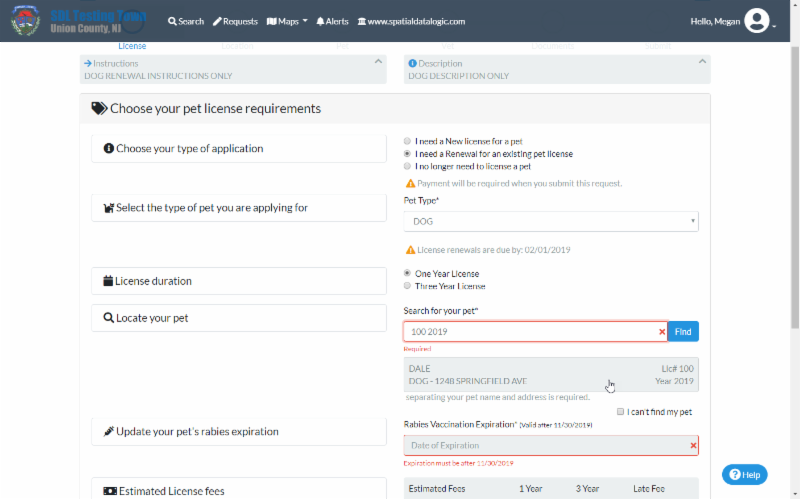
During Pet Licensing Renewal Requests, users may now search for their existing pet using the license number and license year, OR by pet name and address. This will populate the pet's information. If the pet cannot be found using the search option, the users can check the "Can't Find Pet" option and enter the pet's details manually.
For towns that choose to require payment during the Pet License Request Process, options to update the pet's vet or location, or to indicate their pet no longer needs licensing, will be available to the Portal user in the request form. Towns that accept payment through the Desktop Renewal Process will have the same process for citizens and town users as before.
Pet Licensing Payments
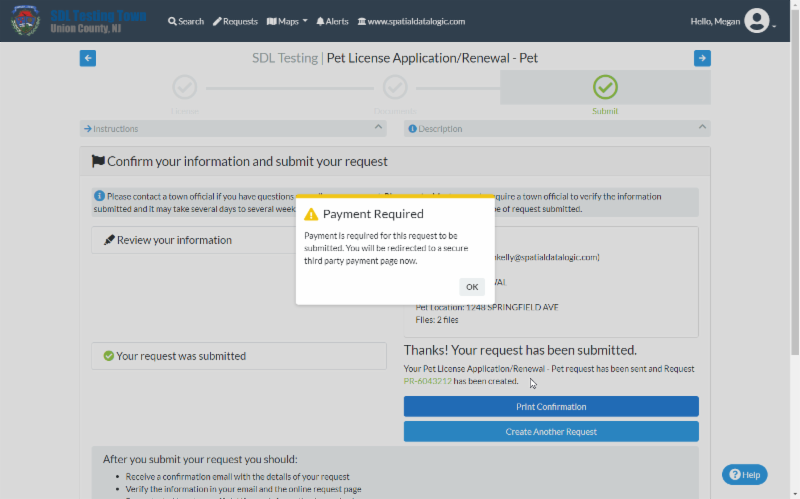
Previously, all submitted Pet License Requests required administrative approval before notifying the applicant that a payment was due. With this update, the payment can be required before submission of the Application or Renewal Request.
Home Page Renewal Reminder
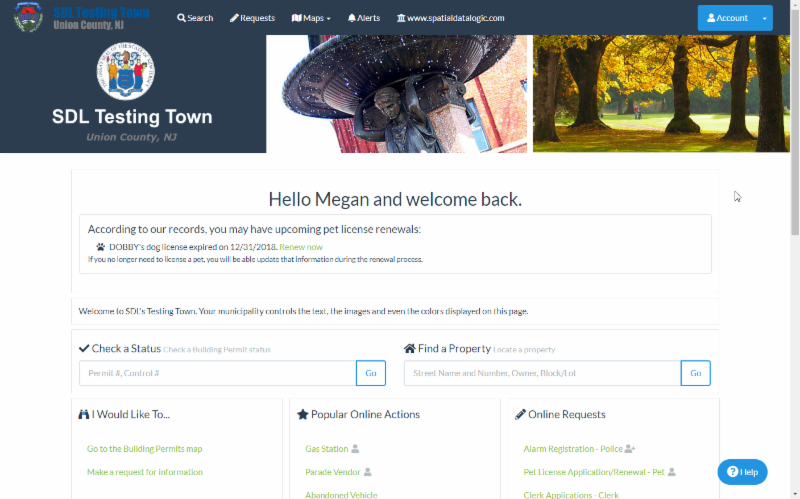
This update also generates reminders to users approaching the renewal date for pets associated with their SDL Portal Account email address. The reminder will show at the top of their home screen, and provide a link that will take them to the Renewal Application Request process.
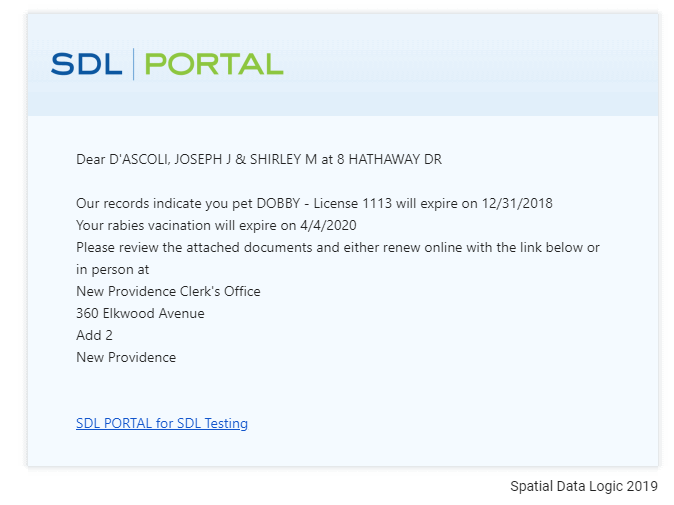
Custom Renewal Email from SDL Desktop
Users can now edit the text and image content of and add custom attachments to SDL Desktop Pet Renewal emails. Options include the ability to add a field for the recipient's name, pet information and address.