![SDL - 2025 New Logo.png]](https://help.getsdl.com/hs-fs/hubfs/SDL%20-%202025%20New%20Logo.png?height=40&name=SDL%20-%202025%20New%20Logo.png)
Below are recent additions that were made to the Code Enforcement Module.
Code Enforcement Tenancy Management - Quick Add
Many towns do a "Change of Owner" or "Change of Tenant" CCO inspection to certify the habitability of a residence before a new person moves in. In SDL Desktop we handle this by creating a certificate and scheduling an inspection on that certificate. In order to streamline the data entry process of creating certificates with an inspection, we have updated our quick tenant feature to also include an option to create an inspection and a certificate.
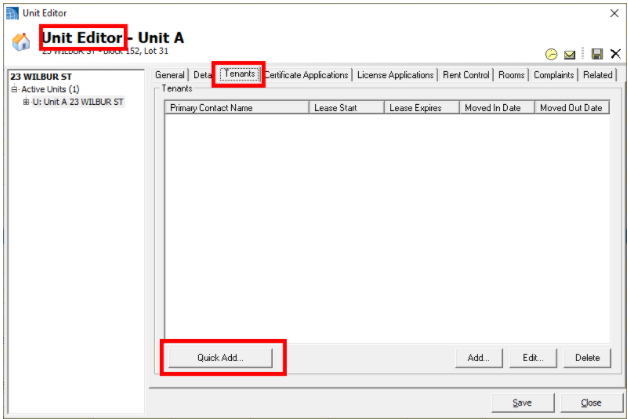
To do this, go to the Tenants tab in the Unit Editor, then click on the "Quick Add..." button.
The original quick add feature allowed you to set a lease start date and one tenant contact. With this update, you can now add a tenant certificate and schedule an inspection for that certificate from this one screen.
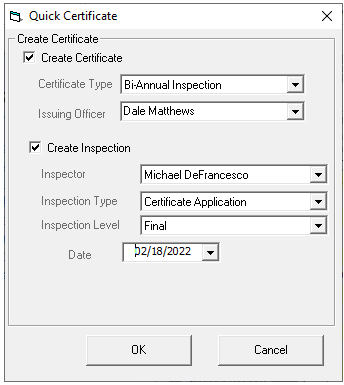
Note: To do this, you must check off the "Create Certificate" and "Create Inspection" boxes pictured below.
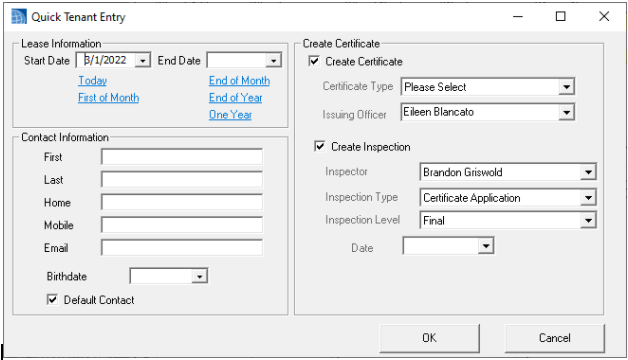
Quick Add - Unit Certificate
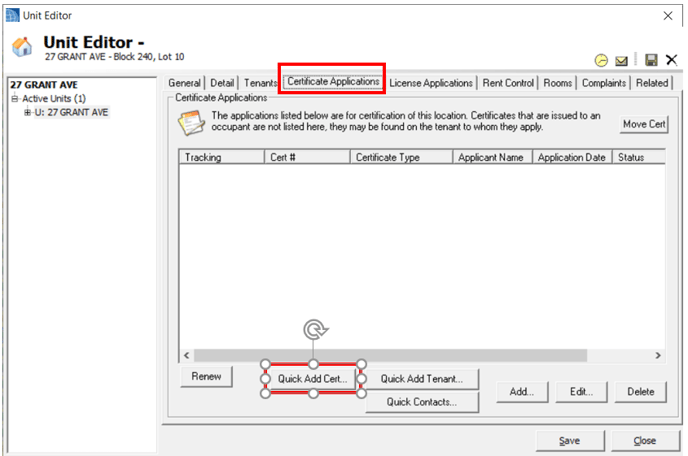
The "Certificate Applications" tab in the Unit Editor, now has a "Quick Add Cert" button that will allow you to fill in the basic fields for a certificate and an inspection for that certificate.
 '
'
Quick Add - Multi-Tenant Contacts
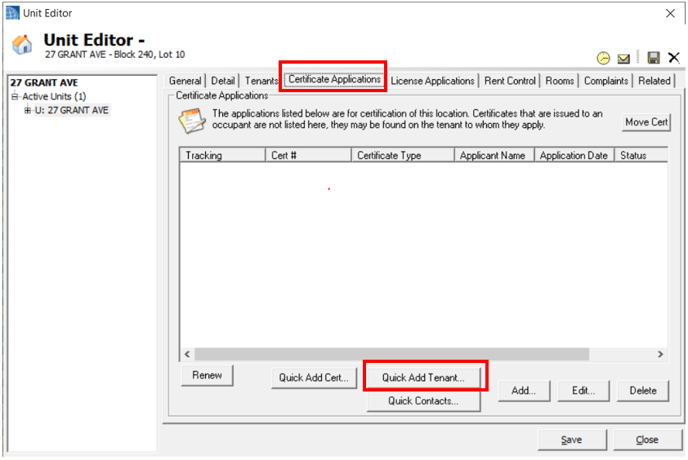
The "Certificate Applications" tab in the Unit Editor, now has a "Quick Add Tenant" button that will allow you to add up to 4 contacts to the current tenant date.
.png?width=688&height=539&name=image%20(30).png)
Note: A quick add inspection button has been added to the Certificate Inspections tab. Instead of opening up the entire inspection form settings, this option should help speed up data entry.
Please let us know if you feel other fields should be added to the Quick Add forms. Our goal is to keep these forms as simple as possible, but we understand there may be other important fields that need to be entered for a certificate/inspection.
Note: We will continue to work to streamline the Certificate process in future updates including having these options on a single form and being able to add payments to a quick certificate. If you are looking for an even faster way to enter Certificates, we suggest enabling online Certificate Requests in the SDL Portal with MuniciPAY credit card payments.
Tenant Lists on All Certificates
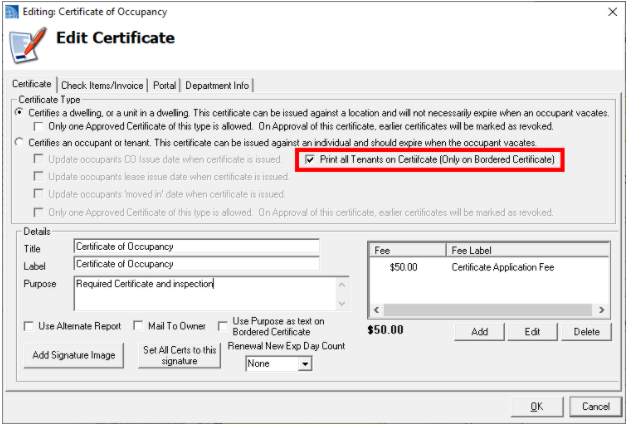
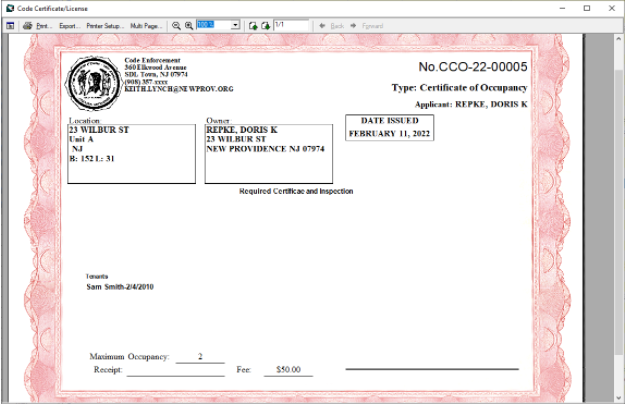
Prior to this update, you could only list tenant names on certificates issued from a tenant. Now you have the option to turn on the "Print All Tenants" option for any certificate type. When selected, the system will look for the most recent tenant based on the lease start date and print out any contact that is listed. Note: You will need to add a tenant and contact for them to print out.