![SDL - 2025 New Logo.png]](https://help.getsdl.com/hs-fs/hubfs/SDL%20-%202025%20New%20Logo.png?height=40&name=SDL%20-%202025%20New%20Logo.png)
SDL Desktop Update 19.3.1
- Added - Complaint to Kiosk and Parks and Rec
- Added - Invoice Date Field to payment bill
- Added - Contact Unit and Address to Property item Info pane
- Added - OPRA option to set default custodian
- Added - User Totals Fee Item Report
- Added - Project Bulk reports
- Added - Property item notifications to permit issue
- Added - Show all link to Requests on homepage
- Added - Unselect, invert selection to User Datagrid tab in admin
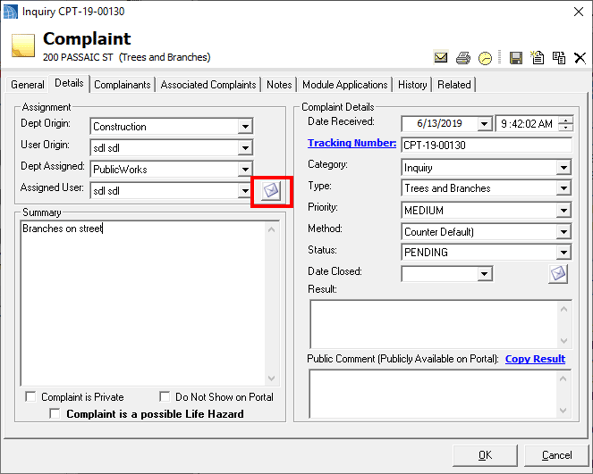
- Updated - Complaint will no longer prompt to send notification email; users will have to click the email button next to the user selection
- Updated - Deleted Payment permission
- Updated - Deposits totals repost no YTD
- Updated - Complaint HTML: table-layout fixed
- Updated - Can now add unlinked parcel Alias from DGC
- Updated - Now check for bad characters in Password, on reset and admin
- Updated - User will be prompted to use bond release dates when a full release
- Updated - Common law OPRA request info will now print on request
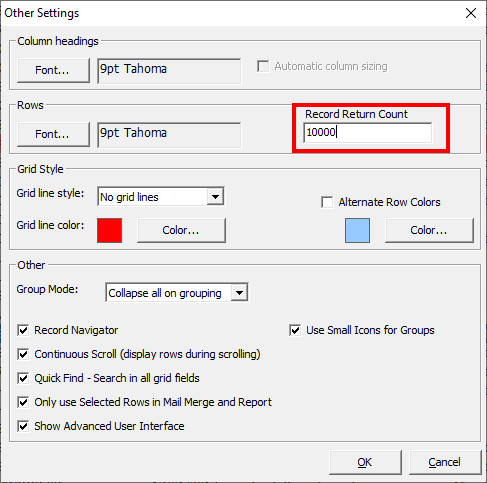
- Updated - Datagrid will default to top 10,000 records, this can be adjusted in the DGC other settings
- Updated - Escrow activity report will now be added as an attachment
- Updated - You can now download multiple attachments at once
- Updated - Complain Bulk reports
- Updated - Over payments will now register in the balance and fee item reports
- Fixed - Issue with Portal Complaint tracking numbers on report
- Fixed - Issue with Portal requests resetting when saving the form before processing
- Fixed - Issue with YTD column on Deposit totals report
- Fixed - COAH Link and Invoice labels
- Fixed - Issue with OPRA sending issuer emails on new assignments
- Fixed - Issue with tracking number on OPRA report
- Fixed - Inspector Block times column width
- Fixed - Issue with Parks and Rec not opening Attachments on info pane
Clerk/Commerce 19.3.1
- Added - Vehicle info fields to Solicitor Application
- Added - Receipt label to Mercantile/General Licenses
- Added - Board Member expiration update to Board DGC
- Added - Email to board members
- Added - email options and DGC option for Parking Applications
- Updated - Games determination report
- Fixed - Invoice owner label for parking permit
- Fixed - Rounding issue on daily bank
- Fixed - Conditions issue on general license
- Fixed - Issue with payment on taxi license
- Fixed - Board member datagrid
Code Enforcement 19.3.1
- Added - 3 year link to Certificate application
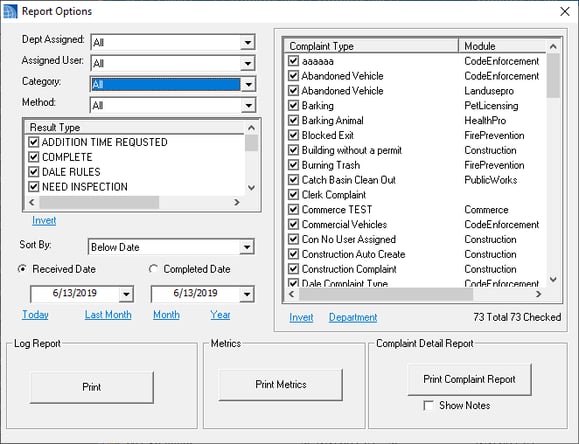
- Added - Complaints and Project Reports
- Added - Business name field to Units DGC
- Added - Summons Closed Check to violation form
- Added - Inspector Availability Task
- Added - Permission around edit rolling notes
- Updated - Switched license tab on units to new date format
- Updated - Adjusted Department info label on Prop Reg Cert
- Updated - Will now add comments and results to rolling notes of reinspections
- Updated - Property Search button should now fill in location info
- Fixed - Issue with BLQ not coming over from complaint to inspection
- Fixed - Issue with saving Certificate first before getting fees
- Fixed - Issue with License Payment messages
- Fixed - Issue of Landlord Cell not saving
- Fixed - Issue with alternate Certificate type contact address showing on Online Payments
- Fixed - Issue with fee duplicating on license renewal
- Fixed - Issue with Multi Violation templates
Construction 19.3.1
- Added - Online payments to Violation form
- Added - Subcode option to Inspection Activity report
- Added - Print Warning letter to Ongoing Applications DGC
- Added - Complete field Ongoing location invoice DGC
- Updated - You can now print the inspection list from the Ongoing Location and Application
- Updated - CanNotOverideInspection Count now checked on Multi Inspection Creation Form
- Updated - Ongoing Invoice Renewal will no longer include in active applications
- Updated - Setting Resubmit on PR date will no longer fill in the result date
- Updated - New NON UCC certificates will now add the permit number as the cert number
- Updated - Changed Add Folder of File to move Selected to folder, for organizing attachments
- Updated - Plan review set to resubmittal will no longer fill in a closure date
- Updated - Project warning will now be orange to allow saving
- Updated - Bill will now reset on Ongoing test
- Updated - Denial of Permit Report
- Fixed - Ongoing Violation DGC date fields
- Fixed - Issue with Construction Application Bill Creation
- Fixed - Plan Review spell check
- Fixed - Mechanical Multi Items showing on Tech Card
- Fixed - Issue with Rounding the whole integer
Engineering 19.3.1
- Added - Work types to Road Opening Form
- Added - Road Opening Signature
- Added - Full Contractor address to Road Opening Permit
- Added - Issued to Receipt info to all payments
- Added - Inspection number to inspection checklist report
- Updated - Road Opening Permits will prompt to add as attachments
- Updated - Road Opening Permit payment info will now use all active payments
Fire Prevention 19.3.1
- Added - Non profit Business type to Units editor
- Added - Inspector Availability Task
- Added - Option to take credit card payment on invoices
- Added - Permit wizard option to festivals
- Fixed - Semi and Quarterly abbreviation on home page inspections
- Fixed - Comma placement on mailing address
- Fixed - Issue with fee zeroing out on create invoice from unity DGC
- Fixed - Result and type labels from Mobile Inspections on Datagrid and Inspection tab
Health Pro 19.3.1
- Added - Inspector Availability Task
- Updated - License DGCs will now use the application parcel info
- Updated - Linking and application will now prompt to update location
- Updated - Closed General and food will disable the new inspections and license buttons
- Fixed - Issue with Application link resetting on inspections
- Fixed - Issue with Chapter 24 report remarks
Land Use 19.3.1
- Added - Use application bit on application type for new submit dates
- Added - Construction expand options to Land Use info pane
- Added - Final to Zoning Decision list
- Added - Spacing for signature at bottom of Inspection Notice of Violation
- Added - Landscape Zoning permit report
- Added - Zone combo to Zoning permit report
- Added - Photos report to Zoning Inspection
- Added - Alternate Violations Report
- Added - Rolling notes to Inspection form
- Added - Letter report to Inspection form
- Added - User prompt to add attachment to boards
- Added - Inspector Availability Task
- Added - All Attachments button to inspections, violations and applications
- Updated - Adjusted Zoning and Planning Board application reports
- Updated - Towns with one zoning officer will default to that officer on new zoning applications
- Updated - Modified zone label on temp zoning permit
- Updated - Inspections from complaint should now put summary into comments field
- Updated - Only positive fines will print on violation notice
- Updated - Will now fill in conditions field on historic DGC
- Fixed - Issue of check number not showing on temp permits
- Fixed - Issue with complaint comments going into result comments
- Fixed - Header info on conditions report
- Fixed - Issue of state not coming on when setting applicant is owner
Pet Licensing 19.3.1
- Added - Option to include state animal cruelty documents as an attachment to renewal emails
- Updated - Removed State animal cruelty links on renewal, please include them in your conditions
Utilities 19.3.1
- Added - Requestor email field to SR
- Added - DPW option to change SR report folder
- Added - Email option to Inspections
- Added - Status and Instructions to SR section of utility forms
- Updated - Inspection report will now add as attachment
- Fixed - Issue with Mailing Address on SR invoices
- Fixed - Issue with Quick SR form not setting parcel ID
- Fixed - Sorting issue on SR report
- Fixed - Issue with address not coming over to new inspection from some forms
- Fixed - Address info on Photos report
Payment Form
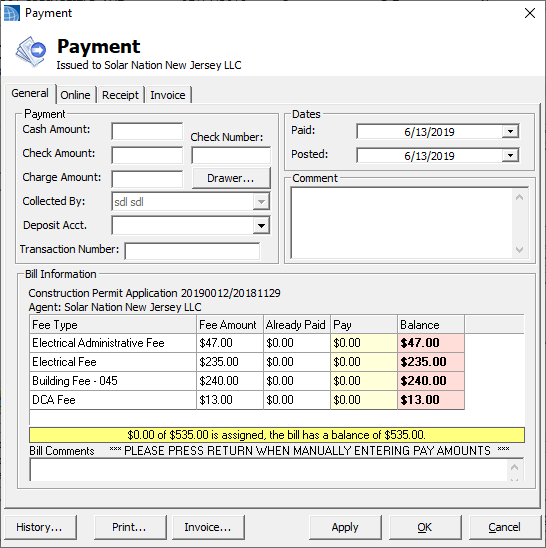
Fee Items and Fee Item Reports have become integral parts of the software for many SDL clients. This update includes some changes in the payment form, in order to help users verify that the fee items are entered correctly.
No payment made will result in a yellow bar, displaying the required payment.
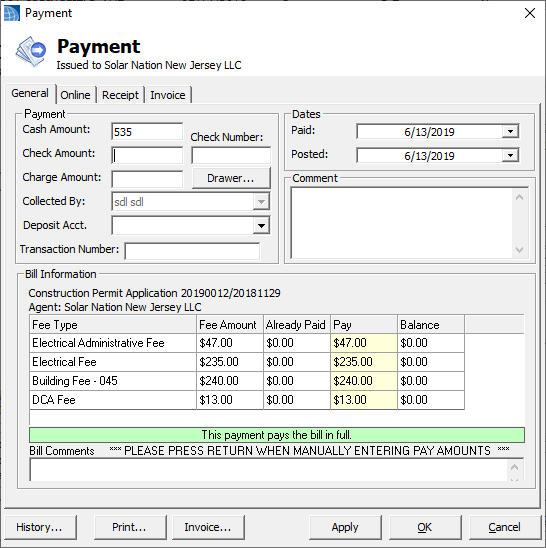
A completed payment will display a green bar.
An overpayment will show a red bar.
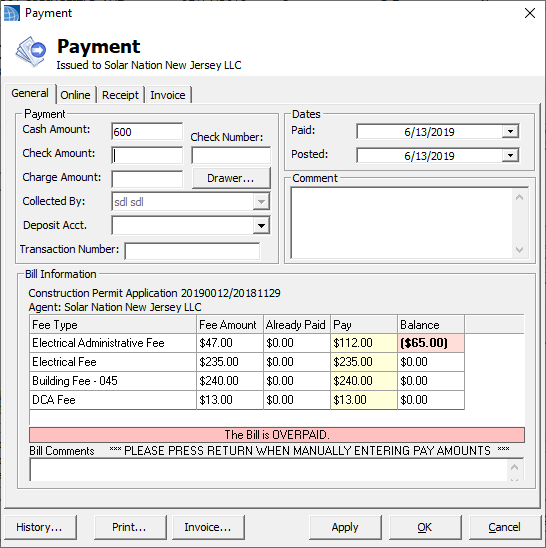
As requested, we will now automatically overfill the first fee item with any additional funds made in the cash, check and credit entry boxes above. Please note these overpayments will transfer over to the fee item report.
Please be cognizant when entering partial payments, the system first checks if a payment matches all fee items, then checks if it matches a single fee item, then starts filling any unpaid fee items. It has no way of knowing a payment is a partial payment for any individual fees.
Please note, we have added a new permission "Can Delete Payment" under GeoClient. This will affect all payment controls and users will not be able to delete a payment until given this permission.
Attachments
We have updated some items on the attachment control. The download button will now let you select multiple files at once.
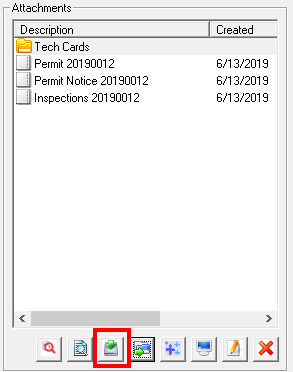
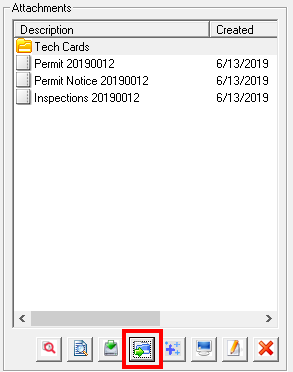
The download folder has been changed to Move Selected to Folder. A past update included the ability to add an attachment to a folder, to help with organizing your data. This new button will allow you to select multiple files and move them to a folder, rather than having to do each individually.
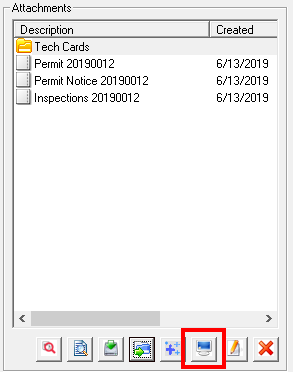
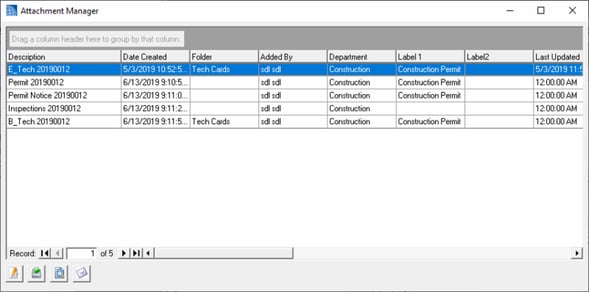
As a reminder, a past update also included an Attachment Manager. This opens a datagrid containing more details about the associated attachments. As a datagrid, you can also sort and group the data to better review what is needed.
Property Items
We have started to add the Property Item Check to other actions in applications. Property Items can be set to warn other users of issues at a property. They were originally developed to notify users if a property is in a historical district, but can be set up for any reason you see fit. Previously, the warnings just occured when you linked an application, but now users will be prompted when issuing a Construction Permit, Zoning Permit or Code Certificate/License.
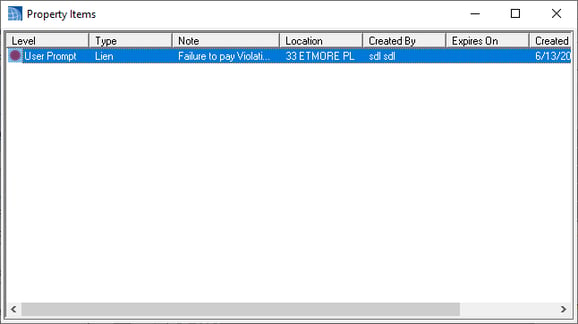
This feature will be added to more modules in future updates. Please note that only a warning will occur, this does not stop users from issuing the permit.
Datagrid Options
We have added a max record count option to the Datagrid Options form. This will limit the number of records returned to that number. By default, this is set to 10,000 records. If you would like to see all records, you can set the value to 0.
Complaints
Several users requested that the Notify Assigned User Prompt be removed when creating complaints, as it was unnecessary and slowed down workflow. If you still want to notify a user, we have added an email button next to the assigned user drop down. You will now need to manually click this. Emails sent can be reviewed in the Email Manager on the top right of the form.
Complaints Report
We have updated the options and reports for complaints. This should provide better tracking of issues in the municipality. Please let us know of any additional information you may want to track. This is currently only in the reports section of Code Enforcement and Township Manager.