![SDL - 2025 New Logo.png]](https://help.getsdl.com/hs-fs/hubfs/SDL%20-%202025%20New%20Logo.png?height=40&name=SDL%20-%202025%20New%20Logo.png)
Construction Permit Portal Request Processing
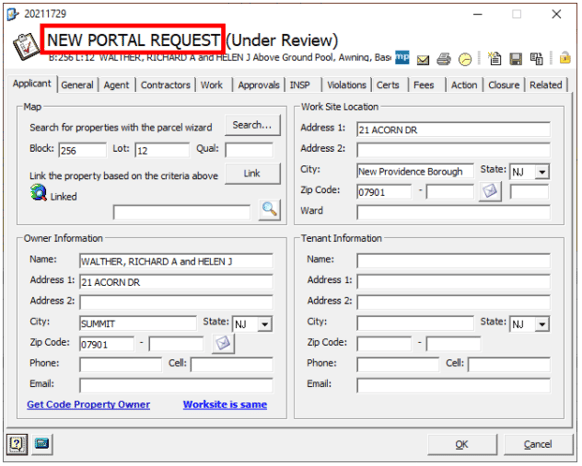
We made some minor, but important, changes to processing a Construction Permit Portal Request. It was brought to our attention that when you process the permit request from the homepage, it accepts the request, and you may find later that items are missing or incomplete. This update will allow you to open the permit application and review the subcodes, agent, contractor and attachment information. The system will not accept the request until you save the application. If you hit cancel or the "X", the form will close, and you will still see the request on the homepage where you can now refuse the request and add notes. It's important to note that some actions like adding a payment request, certificate or inspection will cause the permit to save and will also accept the request. Printing a report will also cause the permit to save and accept the request.
The top of the form will now say "NEW PORTAL REQUEST" until you hit save. You will burn a control number each time you initiate the processing of a permit.
Other Construction Items Included In This Update:
- Adjusted the plan review status report to include permit notes
- Fixed the issue of the certificate fee type not loading
- Added a "time" field to plan review dates to help users sort for submittals on the same day
- Fixed issue with ongoing daily bank
- Fixed issue with owner email/cell phones not filling in on permit requests
- Fixed issue with permit requests not getting reset to "submitted" when canceling a new application
- Added description of work comments to the property search window
- Fixed issue with the signature being removed from tech cards
- Added work description comments to the final notice letter
- Fixed issue with receipt town label on violation payments