![SDL - 2025 New Logo.png]](https://help.getsdl.com/hs-fs/hubfs/SDL%20-%202025%20New%20Logo.png?height=40&name=SDL%20-%202025%20New%20Logo.png)
SDL Desktop Update 21.4
- Added - Ability to show deleted attachments by double clicking the attachments frame
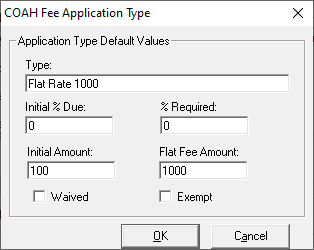
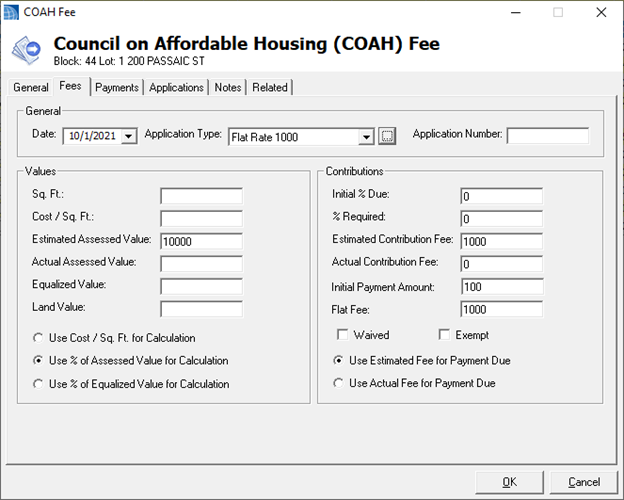
- Added - Flat fee Option to COAH Fees
- Added - Initial Payment Amount to COAH Fees
- Added - Option to rebuild MuniciPAY URL on Payment Form
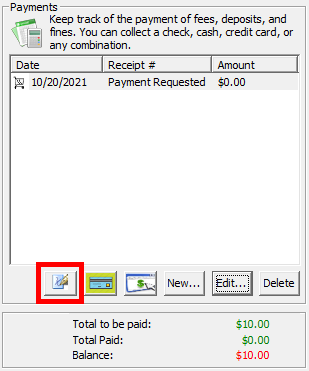
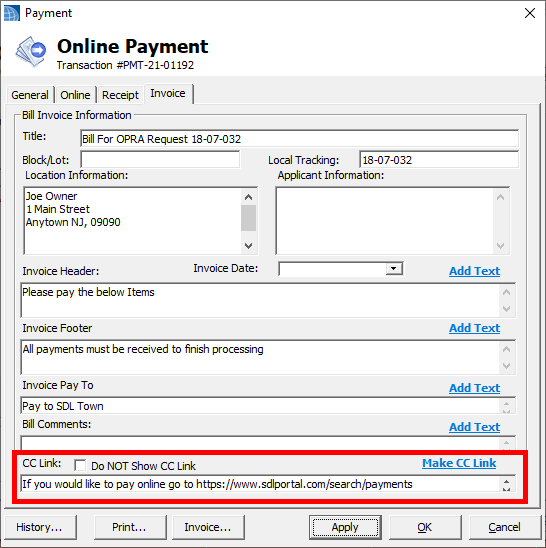
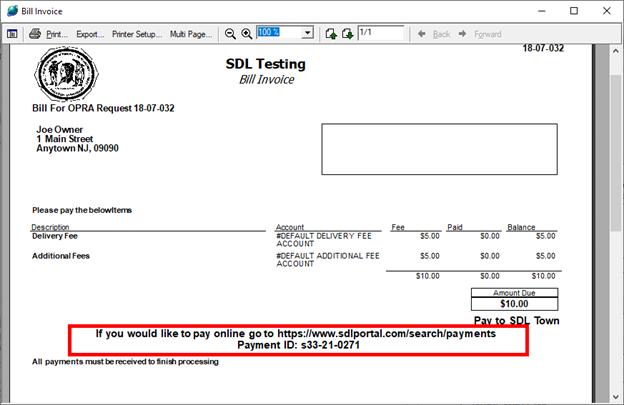
- Added - Payment Link to Bill Invoice, if online payment exists
- Added - Monthly usage email
- Added - COAH DGCs to Construction and Assessor
- Added - COAH Info Pane Section
- Added - Data folder link to town seal
- Added - BLQ to project modules tab
- Added - Send OPRA Assignment links to Application form and Home Page sections
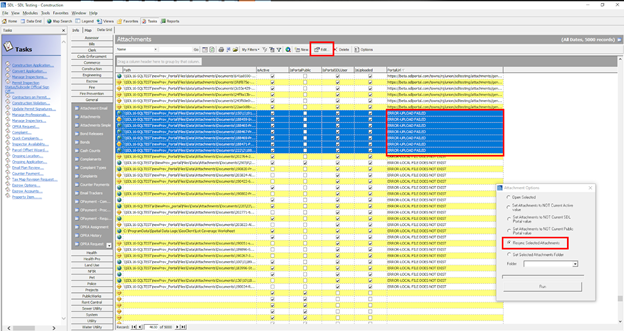
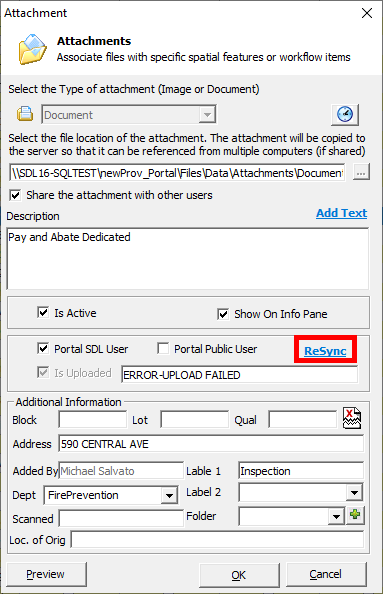
- Added - Resync Attachment to Portal option to DGC Options and Link on Form
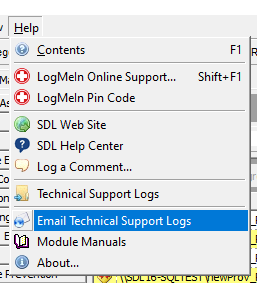
- Added - Resync Portal Attachments to Clerk Tasks list
- Added - Top Record count complaint search/attach form
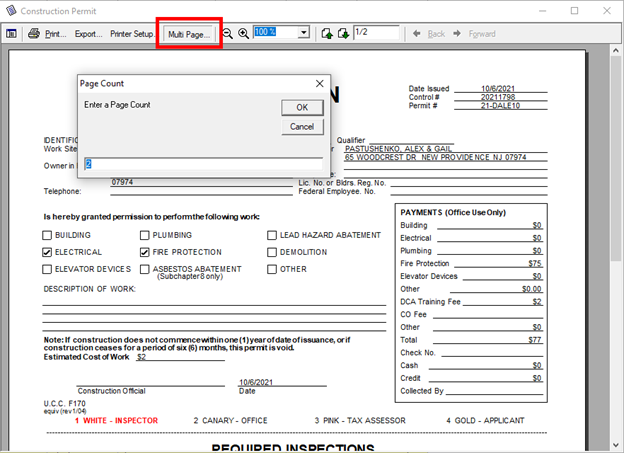
- Added - Multi page Print option
- Added - Fee item Report by Accounts per user option
- Updated - 60 Day filter showing from date created will now display from current date
- Updated - When using a record limit on the datagrid, the default sorting will be the associated date field on that datagrid, if it has one
- Fixed - Issue with Requestor response not showing in text box
- Fixed - Issue with Clear Email Attachments
- Fixed - Issue with Professional License types not loading correctly
COAH Updates 2.0
The 21.3 update added several function requests to COAH, including Status Label, Multi Fees, Attachments, User Defined reports and sending emails. This update adds additional Fee options as well.

Portal Attachments Resync
Printing Multiple Copies
- Fixed - Issue with Owner change not updating Portal property
Code Enforcement - 21.4
- Added - Option to add additional mailing addresses to Violation Notices when they are associated with a Property Registry
- Added - Email functionality to Property Registry License
- Added - Default send to email address to new registry emails
- Added - Abandoned requested date to registry form
- Added - Violation Count field to Registry DGC
- Added - Summons Report to Violations Form
- Added - Option to Inspections datagrid to include the photos report with the mass violations report option
- Added - Registry Number field to Violations Datagrid
- Added - Option to use alternate labels on top of Inspection Checklist report
- Added - Option to Mass set Inspection results in DGC Options
- Added - Location Phone and Fax fields to Property Registry Form
- Updated - Selecting a Statute will now fill in the Location and Summary of that statute type on new violations and multi violations
- Updated - Inspection report issued to Tenant will now use the location address and tenant name in the address label
- Updated - When opening the violation form, it should now load the statute wording
- Fixed - Issue with MVD Rent Control type label
- Fixed - Issue of opening a violation from info pane refreshing the page to the homepage
- Fixed - Issue with Code Registries not syncing to Portal
Construction - 21.4
- Added - QR Code to Commercial Placard
- Added - Section to home page for Permits with a final inspection, but no Close date
- Added - Option to email Agent of Zoning approval requirement, includes link to Zoning portal request
- Added - Add as attachments line item to permit Related tab, so user can add all tech cards and permit as an attachment with out having to print
- Added - Bill Balance and Bill total Fields to Ongoing Location DGC
- Added - An Option to Reset the balance field on the Ongoing Location Invoice
- Added - Mailing label report option to Ongoing Locations
- Added - Permit Application Attachments to Plan Review Form
- Updated - New Portal Inspection will now default to 12:00 PM
- Updated - Properties in Violation to Show permit number value shown on Violation form
- Updated - Spacing on Ongoing Location Invoice
- Updated - Any payment editing will force a save on Ongoing Location Invoices
- Updated - Permit Jacket will now fill in Architect/Engineer and Responsible Person if added to permit
- Updated - How Update letter is calculated, it should now be able to handle AB and above
- Fixed - Issue with NON UCC portal requests not being marked
- Fixed - Issue with Check number not displaying when you have a deleted payment first
- Fixed - Issue with Fee Analyzer that was using the minimum fee
- Fixed - Issue with Inspection Time on Inspection report
- Fixed - Issue with Apply not enabling when changing Subcodes or Construction Officials
- Fixed - Issue with Contractor not filling in on Order to terminate report
- Fixed - Issue with Inspection date on Ongoing Location/Application form
- Fixed - Issue with Mechanical not saving when only the fuel type is changed
Engineering - 21.4
- Added - Clearing Section To Info Pane
- Added - Grading Section To Info Pane
- Added - Can Link Service Requests Permission
- Updated - Road Opening Alternate Permit
- Fixed - Issue with notes not saving on Clearing Permit
Fire Prevention - 21.4
- Added - Print button to Permit Form for certificate
- Added - Button to Move an Inspection and its violations to another unit
- Added - Email functionality to stand alone Inspection form
- Added - Returned Check Fee to Detector Form
- Added - Brush Fire to Fire Investigations type list
- Added - New Testing date fields to Structure Editor
- Added - Violation Fines and Violation Fines Open reports to unit
- Added - Violation Fine total and total paid labels to Inspections tab
- Added - Button to fix All units LHU/NLHU checkboxes
- Added - CC Payment Request to Permit Wizard form
- Added - Applicant Email Field to Permit Wizard form
- Added - Penalty amount to Advanced Invoice
- Added - Additional Unit Fields to Invoices DGC, will need a DGC update
- Added - Option to use the NLHU/permit Start date for the inspection date on the certificate
- Updated - New Inspection will now get a number
- Updated - Invoice Activity report will not show Voided invoices anymore
- Updated - Turned on Email functionality for Festival Permits
- Updated - Permit Application Email will now use Agent Email
- Updated - Moved Inspection Number Field to Related tab on Inspection Editor
- Updated - Penalty Letter report for Multi Use fees
- Fixed - Spelling errors on Smoke Application report
- Fixed - Issue when users only have one Inspection Work type
- Fixed - Issue with Business name label not being set correctly on Inspection Log report
- Fixed - Issue with Late Fee not adding to invoice total when using multi fees
- Fixed - Issue with wrong last inspection label on the Permit List view
- Fixed - Issue with Violation Status report not showing Violation history
- Fixed - Issue with Multi fee users and late fees on Invoice tab of Inspection
- Fixed - Issue with Permit CC payment requests not showing on home page
- Fixed - Issue with Use Type Not updating when adding NLHUs and Permits
- Fixed - Issue with Inspection Date showing on the Fire Permit report
Health - 21.4
- Added - Notes report for additional notes/violations on the risk based Report
- Added - Option to Daily Bank to include counter payments
- Added - Option to General types to not show fee on license
- Added - Email icon to Inspection form
- Added - Inspection DGC Options form
- Added - Ward option to Statistics Report
- Updated - Septic Application Contractor can now read from Professionals list
- Update - License application type label
- Updated - Inspection log report
- Updated - User Defined Reports
- Fixed - Issue with blank Expiration dates showing on the license
Land Use - 21.4
- Updated - Removed Land Use Permissions check to delete payment, only Geoclient Delete permissions are used
- Updated - Portal request notes will go into notes field rather than the additional comments field
- Updated - User defined reports forms
- Fixed - Issue with wrong time displaying on homepage
Pet Licensing - 21.4
- Fixed - Issue with total not updating when adding a discount type
- Fixed - Issue with some emails using the property owner name not the pet owner name
Utility - 21.4
- Added - BLQ to Municipal buildings and info pane
- Added - Parks and Rec to DPW Info Pane
- Added - Building Maintenance to DPW Info Pane
- Added - District/Street Sort option
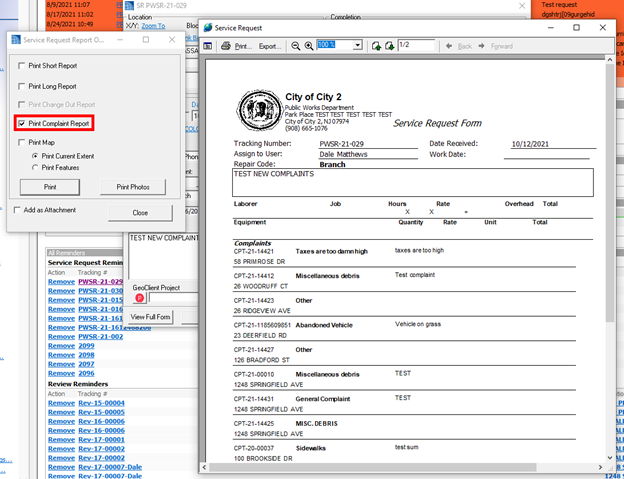
- Added - New Complaints based Service Request Report
- Added - New report to DGC Options
- Added - Option to Add a complaint to an existing Service Request from the Homepage or the Complaint Form
- Added - Street Name Sort Option to Service Request
- Added - Street Name field to Service Request DGCs
- Updated - Lengthened location label on Service Request Report
Complaints Service Request
We also added a new Service Request report that focuses on the service request’s associated complaints. The purpose behind this is to give your crew a single report that can handle multiple items (ex: one SDL Service Request that can go to multiple locations).
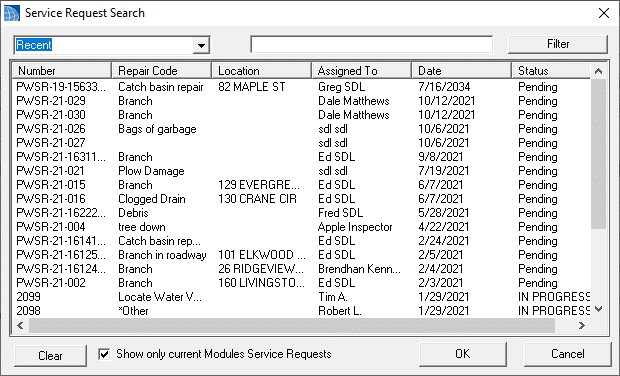
We have updated the Complaint search form that can be found on the Complaints tab.
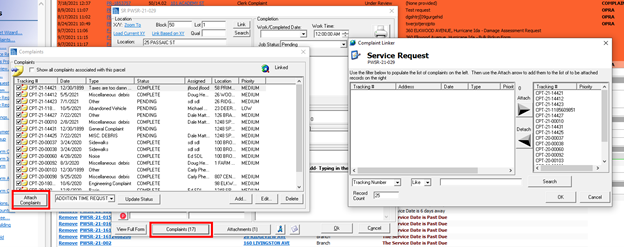
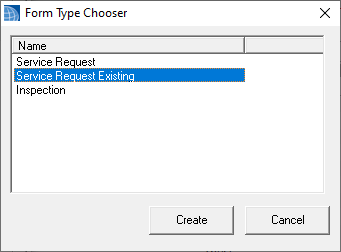
Also when creating a Service Request from a Complaint, you will now have the option to select an existing Service Request instead of just creating a new one.
The report can also be printed en masse from the datagrid.
Service Request Log Reports
Please note we added a few new options to the Service Request report options. Assigned to User, District and Project Name filters can now be used to limit the returned values.
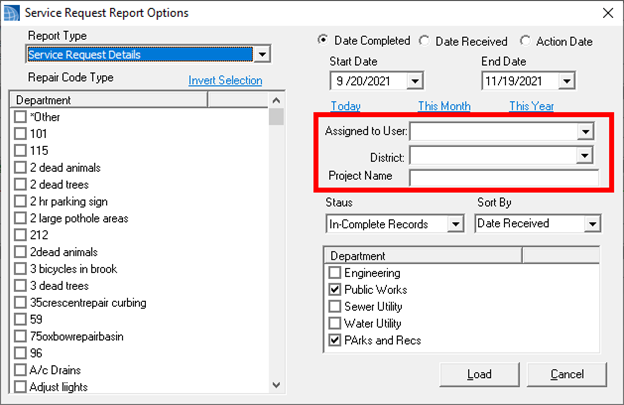
Additional sort by items have also been added, including street name. Please note the street name field is new and you may have to re-save historical service requests to use it, but this can be done on the datagrid en masse.