![SDL - 2025 New Logo.png]](https://help.getsdl.com/hs-fs/hubfs/SDL%20-%202025%20New%20Logo.png?height=40&name=SDL%20-%202025%20New%20Logo.png)
We have a new look!
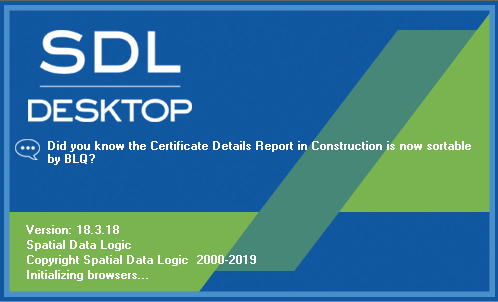
Users will notice that with this most recent update of SDL Desktop, we have released a new image for the loading screen. When you launch SDL Desktop, your monitor should now display the image shown above.
Next to the speech bubble icon, you will find varying facts and tips regarding the most recent SDL Desktop features. All version number and copyright information will remain at the bottom of the screen.
SDL Desktop Update 19.1
- Added - Ability to add notes to OPRA Applications from an OPRA Assignment
- Added - Inspection Count to Blocked Time list view
- Added - "Only CC" option and "By User" option to Fee Report and Fee Report by Account
- Added - Single attachment
- Added - Certificates to Professionals for yearly registration fees
- Added - OPRA All Email option
- All outgoing emails will send a copy to this email address
- Added - Option to new send an email copy to users
- Added - Option to send all emails to an additional email address
- Added - Professional Certificate Datagrid
- Added - DGC options to Professionals DGC
- Added - DGC options to Professionals Certs DGC
- Added - Portal renewal to Professional Certificates
- Added - Inspector History
- Updated - Parcel Alias to use Central Tenancy management tables
- Updated - Address Search will look at MODIV addresses and Parcel Alias Addresses
- Updated - Application Parcel Search will look at MODIV addresses and Parcel Alias Addresses
- Updated - Counter payment DGC now has payment information
- This may require a DGC update
- Updated - Inspector Mass Blocked time editor
- Updated - Bill Invoice can now be added as an attachment
- Fixed - Issue with OPRA creation emails not being sent if the user clicked save on the form before OK
- Fixed - Issue with inspector list after adding multi blocked time
- Fixed - Rounding issue on Fee Item Totals Report
- Fixed - Payments Report per user will only use selected module
- Fixed - Issue with the program crashing when deleting attachment folders
- Fixed - Issue with OPRA DGC day count over the new year
Clerk 19.1
- Added - DGC option to print Licenses
- Updated - Tenured board members will show on info pane regardless of expiration
Code Enforcement 19.1
- Added - Contacts Tab to Inspection form
- Added - Option to print violation reports issued to additional contacts
- Added - Created By and Issued By fields to Certificate Application
- Added - A single fee to a Registry License from the DGC will prompt to multiply the fee by unit count
- Updated - Inspection DGC
- Updated - Run-time error "438" when deleting inspection folder
- Updated - Changed 2015 report to use the owner name is issued to owner
- Updated - Tenant list printout on reports
- Fixed - Issue of online payment information not displaying on Property Registry Payments
Commerce 19.1
- Added - Spot number field to Parking Permit
- Added - "Is Handicapped" field to Parking Application
- Added - Datagrid Options to Parking Applications
- Added - Parking Permit Report
- Added - Parking Permit DGC Options
Construction 19.1
- Added - Option to not change permit status on Certificate issue until the closed date is filled in
- Added - Mailing Certificate Option, which will put the agent address on the second page
- Added - Unique permit count label to Permit with No Final report
- Added - Fail Button to Plan Review form
- Added - Work description to Plan Review Homepage section
- Added - User prompt that user cannot add updates to closed permits
- Added - Construction official name to Inspection Notice letter
- Updated - Pick Up letter
- Updated - Current DCA fees are now hardcoded in the calculation
- Fixed - Issue with Contractor License Number duplication on permit
- Fixed - Issue with new Ongoing Application not selecting a type
- Fixed - Issue with printing Inspection History
- Fixed - Issue with being able to unlink a Zoning Application
- Fixed - Issue with non permitted users voiding a permit
Engineering 19.1
- Added - Multi Fees to Road Opening form
- Updated - Road Opening Portal Request
Fire Prevention 19.1
- Added - Email functionality to extension form
- Added - Next Inspection Field to Units Datagrid
- Added - CO Detector into Fire Detection Systems of State Inspection Report
- Added - New Phrasing for Single Fire Violation report for Ocean City
- Added - All Statute Sources to Statutes Search Form
- Updated - Issuing an inspection certificate will prompt user to auto update unit expiration
- Updated - Remove "And Re-occupancy" text from Smoke Certificate title
- Updated - Inspection number not auto-populating when creating reinspection from multi-violation tool
- Updated - Homepage will show semi and quarterly inspections as S and Q
- Updated - Daily Bank Fee column will include penalty amount
- Updated - Passing or Failing a standalone inspection will now complete the inspection
- Updated - Detector invoice should automatically add as an attachment
- Updated - Auto fill of Detector invoice
- Fixed - Issue with updating unit information when completing an inspection
- Fixed - Issue of inspection process dates not updating when changing abatement dates
- This only works when updating from inspection tab of inspection editor
- Fixed - Issue of emergency contact emails not listing on Alternate State Inspection Report
- Fixed - Issue with additional Code Reference Attachment
- Fixed - Date format on the Notice of Violations report
- Inspection | Related
- Fixed - Issue with Inspection type not setting correctly on reinspection form
- Fixed - Issue with emails not showing on Alternate State Inspection Report
- Fixed - Issue with abated inspection not being bolded on Violation report inspection process section
Health Pro 19.1
- Added - Ultraviolet light as a Well Application Type
- Added - Temperature report to the last tab of the Risk Form
- Updated - Resized the report
- Fixed - Notes showing under remarks
- Fixed - Order of violations to be based on Risk Based number
- Fixed - Issue with opening violations from Datagrid
- Added - Template search to Boards Prior Approvals
- Added - Option to create a Zoning Application from a Zoning Board
- Added - Header and Footer paragraph options to Inspection Violation Report
- Added - Applicant phone and email to new denial letters
- Updated - Notice of Violation report title
- Updated - New Zoning Applications will prompt to load selected parcels
- Updated - Expanded zoning type drop down
- Updated - Violation log will grow to show full summary
- Updated - Templates will now retain fee types
- Fixed - Issue with out of state owners' state label not being set
Land Use 19.1
- Added - Template search to Boards Prior Approvals
- Added - Option to create a Zoning Application from a Zoning Board
- Added - Header and Footer paragraph options to Inspection Violation Report
- Added - Applicant phone and email to new denial letters
- Updated - Notice of Violation report title
- Updated - New Zoning Applications will prompt to load selected parcels
- Updated - Expanded zoning type drop down
- Updated - Violation log will grow to show full summary
- Updated - Templates will now retain fee types
- Fixed - Issue with out of state owners' state label not being set
Pet Licensing 19.1
- Added - Animal Cruelty notes to Updated Renewal Form
- Added - 2018 Renewal report for longer conditions
- Added - RTF Conditions for complex conditions
- Added - Option to order mailing labels to print from DGC
- Updated - New pets (with no existing licenses) will not get charged a late fee
- Fixed - Issue with donation fees added to total fee on payment report
Public Works 19.1
- Updated - Road Opening Permit Report
- Updated - Complaints on Home Page will now show newest first
Utility 19.1
- Added - Pools report to Engineering
- Added - Single payment information to Road Opening Permit
- Added - SR Inspection features SGC to DPW
- Added - Hold Harmless note to SR Basic Report
- Added - Generic review Permit Report
- Added - Is Vehicle bit to Equipment Pro
- Updated - Moved totals to second page of SR Report
- Updated - Now allow other utility modules to edit attachments from info pane
- Updated - Adjusted Traffic Permit Report
- Updated - New Inspections from GR, SR, RO will add general information to inspection comments
- Fixed - Issue with editing Review Tracking numbers from Engineering
- Fixed - Issue with SR Summary Report not calculating Equipment