![SDL - 2025 New Logo.png]](https://help.getsdl.com/hs-fs/hubfs/SDL%20-%202025%20New%20Logo.png?height=40&name=SDL%20-%202025%20New%20Logo.png)
Zoning Signature Using a PIN
SDL Desktop allows you to use a PIN code to sign Zoning Permits. This will add the Zoning Officers Digital signature only when the officer's PIN is entered for that application. Digital signatures are especially helpful when emailing the permit or providing a link to the portal of the issued permit. The PIN code stops other users with access to zoning permits from printing a signed permit.
Permissions
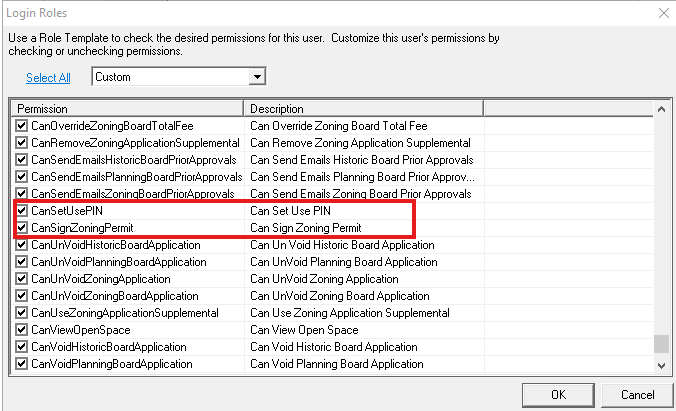
Two permissions in the Land Use module are used for this functionality:
CanSetUserPin - Is for the zoning officer or IT to turn on/off the use of PIN codes in the zoning options. The permission must be given to that user can turn on the option.
CanSignZoningPermit - Is given to the Zoning Officer and enables the Sign button on the zoning permit
Settings
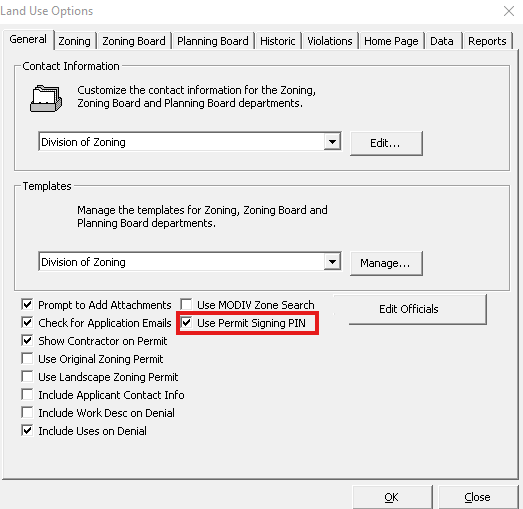
Go to Tools --> Land Use Options and check off "Use Permit signing PIN".
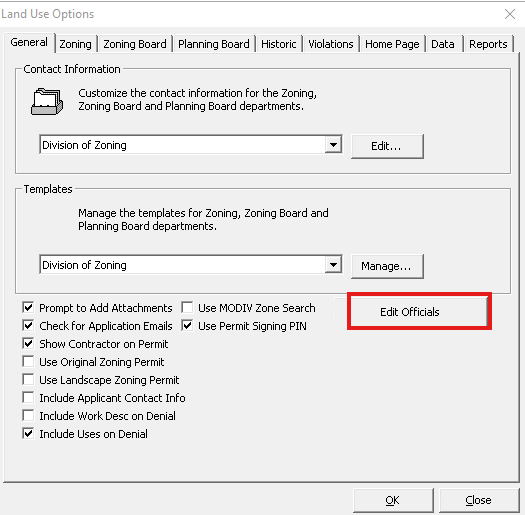
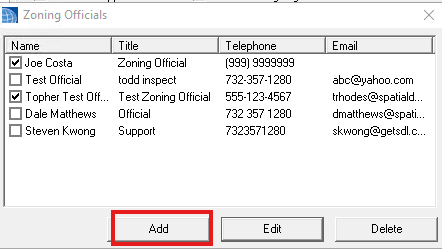
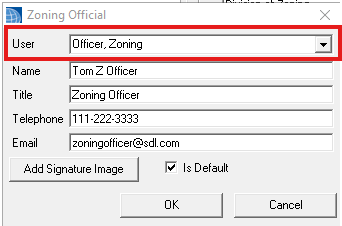
Click the "Edit Officials" button and verify that each Zoning Officer is assigned to a user.
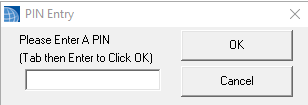
Each Zoning Officer can set their PIN by going to File --> Change PIN