![SDL - 2025 New Logo.png]](https://help.getsdl.com/hs-fs/hubfs/SDL%20-%202025%20New%20Logo.png?height=40&name=SDL%20-%202025%20New%20Logo.png)
SDL Desktop Construction Update 20.2
- Added - Ability to open a permit from the Contractors Datagrid
- Added - Simple Plan Review Status Report
- Added - Option to show Void permits on simple building summary and Fee Collection Report
- Added - Is Abated Check to Violation
- Added - Digital Signature Option to Ongoing Invoices
- Added - Permit Fees datagrid to see all subcode fees per permit including overrides
- Added - User prompt to ask to send PR letter to owner or agent
- Added - Check box to show more permit inspections on the Inspection Portal Request processing Form
- Added - CC payment processing to Ongoing Test
- Added - Option to add stamp labels to tech cards
- Added - Digital Signature to Ongoing Certificate
- Added - Digital signature to Non-UCC Certificates
- Added - Plan Approved Check to Mechanical Tech Card
- Added - Permit Fee DGC to show each subcode's Fee Total
- Added - Permits in Flood Zone DGC
- Added - Email field to Contractors on Permits DGC
- Added - Option to limit Inspection Log to a subcode
- Added - Open Permits Tab to Application Warnings form
- Added - Issue date to Inspection Status forms Update Permits tab
- Added - Violation is issued by Subcode option to violation form
- Added - Full descriptions to Use groups Drop Down on Application
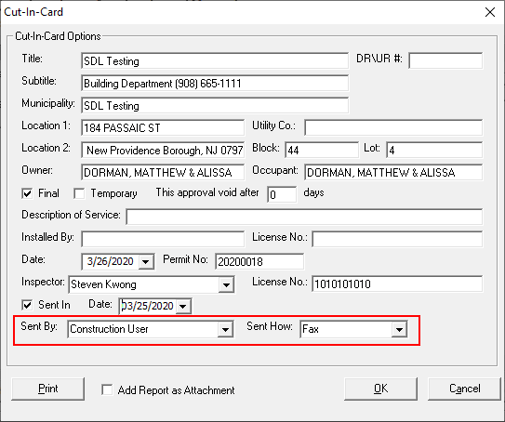
- Added - Fields to track who created a Cut In Card and how it was sent
- Added - A Cut In Card DGC
- Updated - Header will say Variation instead of Variance
- Updated - Commercial Placard will look to Certificate for use group
- Updated - Reordered datagrids
- This will require a datagrid update: ask support for assistance
- Updated - Fire Fee schedule to allow for separate device fees
- Updated - Building Fee schedule to allow for calculations of S1/S2 buildings based on height and statute NJAC 5:23-4.18vi
- Updated - Application Save History Fields
- Updated - Users can now save fractional sewer and water connection sizes
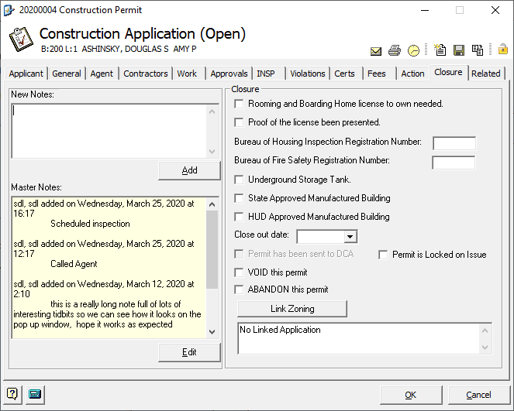
- Updated - Changed Permit Comment to Rolling Notes
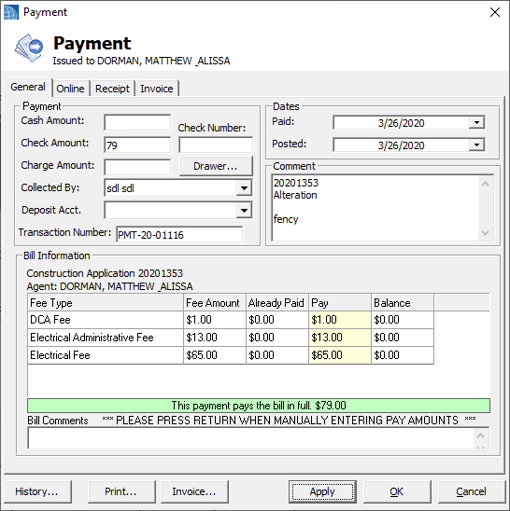
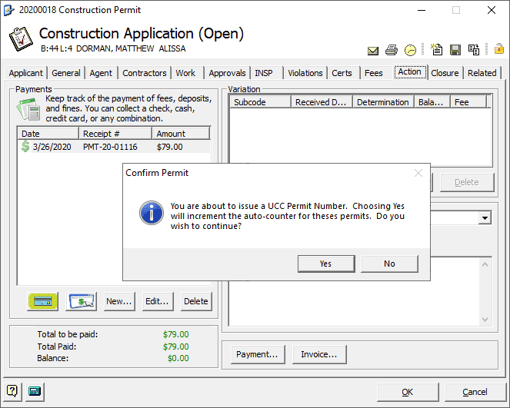
- Updated - When adding a payment that pays a permit in full you will now be prompted to issue permit
- Updated - Fire Subcode template will now copy multi other items
- Fixed - Issue of Certificate not using current Backflow test contractor
- Fixed - Issue with PR dates labels on permit jacket
- Fixed - Issue of plumbing and electrical sub items not copying from templates
Rolling Notes
Found in several other modules, the Rolling Notes, allows users to add notes that will automatically include the users name and time stamp. New Notes are added to the top of the master notes. This should allow better tracking of phone calls, documentation and correspondence about the permit.
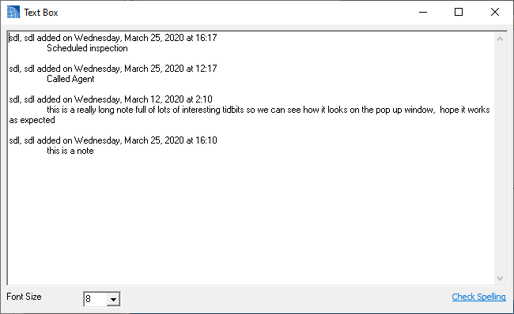
Note if you double click the Master Notes a text box you will open a larger viewer.
Issue Permit After Payment
Provided the permit does not have an issue date and the payment pays the Permit in full you will now be prompted to issue the permit directly, as if you clicked the Get Next Permit Number link. Hopefully this saves a couple clicks of going back to the General Tab.
Cut In Card Tracking
We added additional fields to the cut in card form to track who sent the card and how. We also added a Cut In Card datagrid in case you need to report who and when these are sent out. You will need to contact support to get the new datagrid.