![SDL - 2025 New Logo.png]](https://help.getsdl.com/hs-fs/hubfs/SDL%20-%202025%20New%20Logo.png?height=40&name=SDL%20-%202025%20New%20Logo.png)
SDL Desktop - 24.1.1
- Updated - Parcel Import to use MunCode if multi town
- Added - County column to admin Module Town selector
- Updated - MODIV import for Multi town instances
- Added - Option to link Project by town
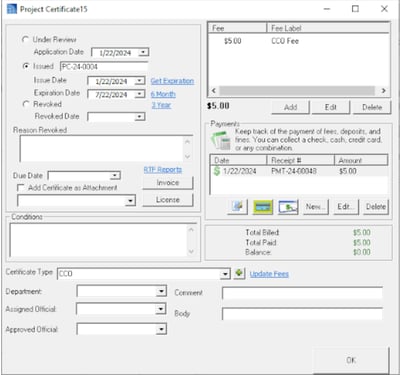
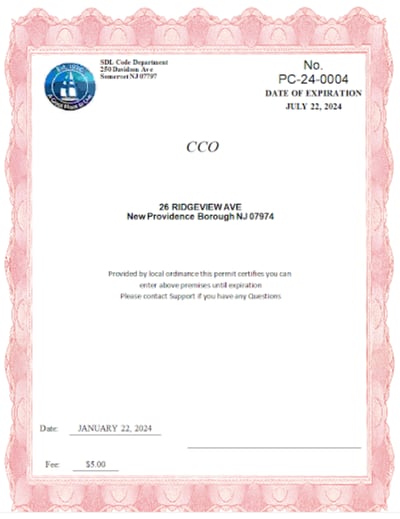
- Added - Certificates to Projects
- Added - Option to use Multi Calculate by count and rate amounts
- Fixed - Issue with Cloning OPRA Assignments
- Added - User search to fee items report manager
- Fixed - Issue where created user was resetting on application attachments save
- Updated - Prior Approval completed emails will now use the current users email address
- Added - OPRA CC payments will show on the homepage of the module used to make them
- Added - Text email field to users
- Added - Option to print to mailing label printer
- Added - Margin options for mailing label printers
- Updated - Hosted RTF mail merge will copy the file to the server rather then use the local path
Mailing Labels
This update adds an option to print mailing label to a mailing label printer. Note the option will let you choose which printer you want to use. For larger label printers we added font options.
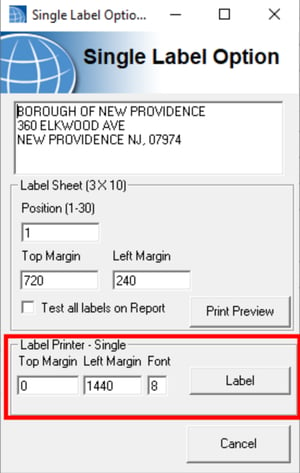
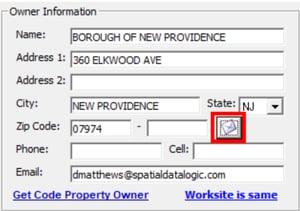
Mailing Labels Access
On many of our forms, you will see envelope buttons that will open the now updated mailing label form. If you don't see this please let support know so we can add it to future updates.
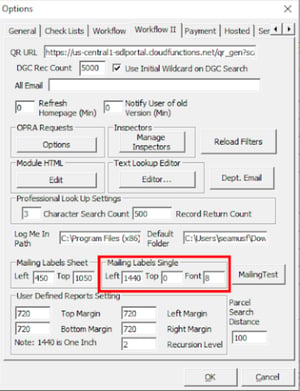
Mailing Labels Settings
Tools Menu | Options button | Workflow II tab
These settings will be dependent on your make and model of printer. The model we tested on was a 4-inch wide printer but we were printing on 2-inch labels in the middle of the printer. In these settings 1440 = 1 inch. If you have a label that matches your printer print width you will probably use 0 for the left margin. These will be saved as your default values but you can change them per print job if you would like. We will be looking into bulk printing in future updates but please let us know any issues or comments you may have.
Project Updates
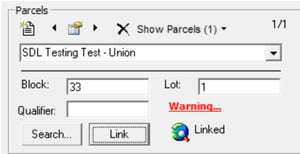
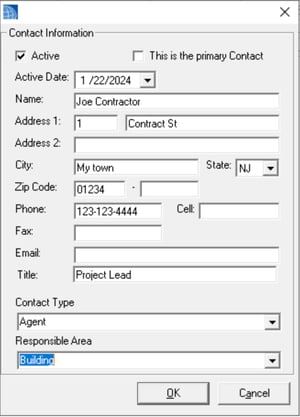
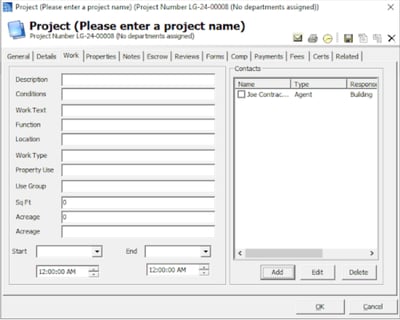
While working with a new client we have started to add additional functionality to Projects. The ability to log multiple towns on individual parcels, Certificates/Permits with invoicing, the ability to add additional contacts, and a dozen new fields for tracking additional information. This is an ongoing process so let us know if you would like to track any other information
Homepage Messaging
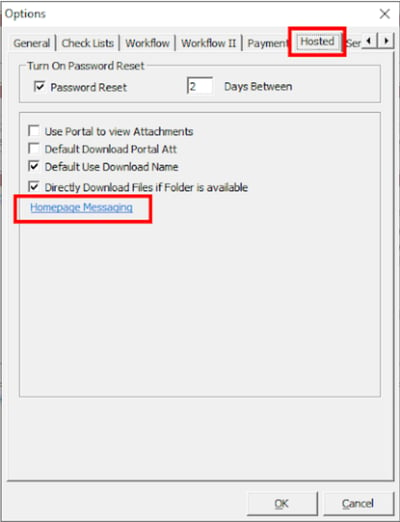
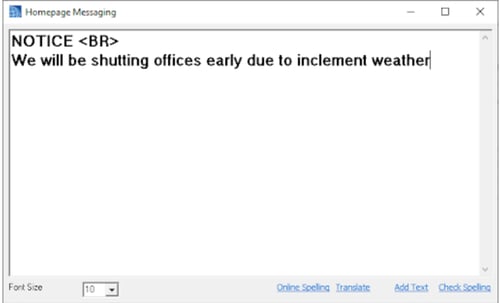
We have added a way to add messaging to the homepage. Originally planned to let our Hosted users know of upcoming maintenance, this can also be used by you for general notifications to your employees. You can use HTML tags for formatting as well.

Tools Menu | Options| Hosted tab
Assessor Emails
Assessors can now use the Assessor Permits Datagrid to email construction Agents and Owners. Originally meant to notify them of your assessment inspection, this can be used for any notification you may want to use. If you don't have the Construction permits Datagrid please contact support.
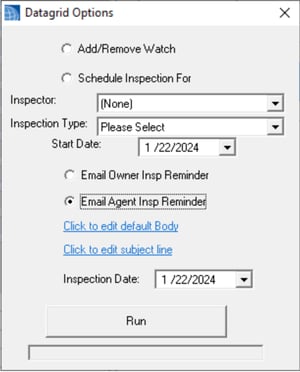
Select which records you want to notify, review the Default body and Subject and click Run. You can use [!INSPECTIONDATE] and [!PERMITNUMBER] as special characters to fill in the permit number from the permit.
Clerk - 24.1.1
- Fixed - Issue with Towing balance column on application permits tab
- Added - Fee types to calculate per seat or square footage
- Fixed - Issue with towing permit not show border not working
- Added - Calculate option to Mercantile to allow rate * cost fee calculations
Construction - 24.1.1
- Added - ability to use Scanner to open Permit records
Fire Prevention - 24.1.1
- Added - Detector emails will include tenant email if available
- Updated - Violation and Violation Fine DGCs with Invoice paid fields
- Added - Option to reset daily assessed fines to violation form
- Updated - Violation DGCs to deal with an issue if not linked to a state
- Updated - Activity reports for towns that use multi-fees
- Added - Violations Invoice report option to Invoices
- Added - Is Waived to NLHU, Permits, LHU application forms, and DGCs
- Added - Associated extensions to the Inspection editor to see time extension on any violations on that inspection
- Updated - Changed Time extension form to load all violations from the inspection not just previously issued
- Updated - Granting and completing a time extension will prompt if you want to update the reinspection date to the new compliance date rather than create a new inspection
- Added - Invoices and Extensions information to Violation Form
- Added - Infraction type, associated invoice information fields to violations Datagrid
- Added - RTF reports to violation and stand-alone inspection forms
- Fixed - Issue with reinspection from the multi-violation form not using the default value in the fire options
Health Pro - 24.1.1
- Added - Licenses and inspection will only load the most recent 5 records by default to speed up load times, a check box to load all was added to the form as well
Land Use - 24.1.1
- Updated - All zoning permit attachments will be named by the permit result value
Public Works - 24.1.1
- Added - Option to text SR emails
Engineering - 24.1.1
- Fixed- Issue with creating a new Grading Permit from the info pane
Utility - 24.1.1
- Added - Option to default SR emails to use Text message options