![SDL - 2025 New Logo.png]](https://help.getsdl.com/hs-fs/hubfs/SDL%20-%202025%20New%20Logo.png?height=40&name=SDL%20-%202025%20New%20Logo.png)
As a citizen user, you may be required to upload files or complete specific tasks to move the review forward.
User Roles and Permissions
Your ability to interact with the system depends on your assigned role:
- Project Owner: The primary contact. Can upload plans, correct markups, update tasks, and submit changes for review.
- Professional: (e.g., Architects). Can upload documents, correct markups, and view plans.
- View Only: (e.g., Homeowners). Can view basic information and plans but cannot make changes.
How to Complete an Initial Submission
If your review requires "Initial Submission," follow these steps:
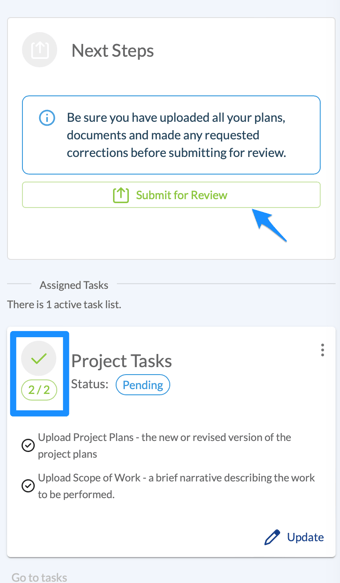
- Check Assigned Tasks: Look for the "Project Tasks" list in the portal.
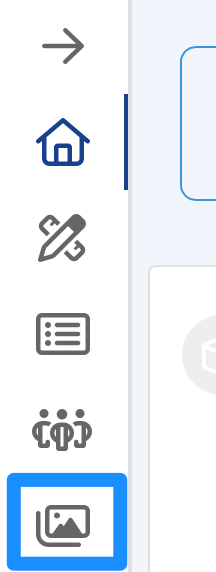
- Upload Files: Click Upload Project Plans in the overview section or sidebar.

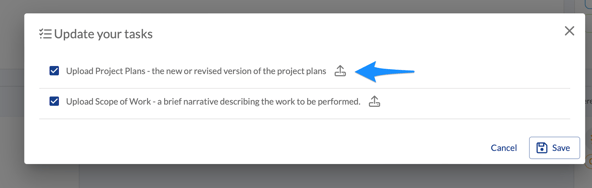
- Update Progress: Once a task (like "Upload Scope of Work") is finished, mark it as completed in the task list.
- Final Submit: In the Next Steps section, click Submit for Review and confirm the action.
File Requirements
- Format: All plans must be in PDF format.
- Naming: Include the plan type and date (e.g., Electrical_Plans_01_01_24.pdf).