In SDL Connect, you can run a report on a specific fee from the Fee Library.
To do this, go to the Reports option on the leftside menu:
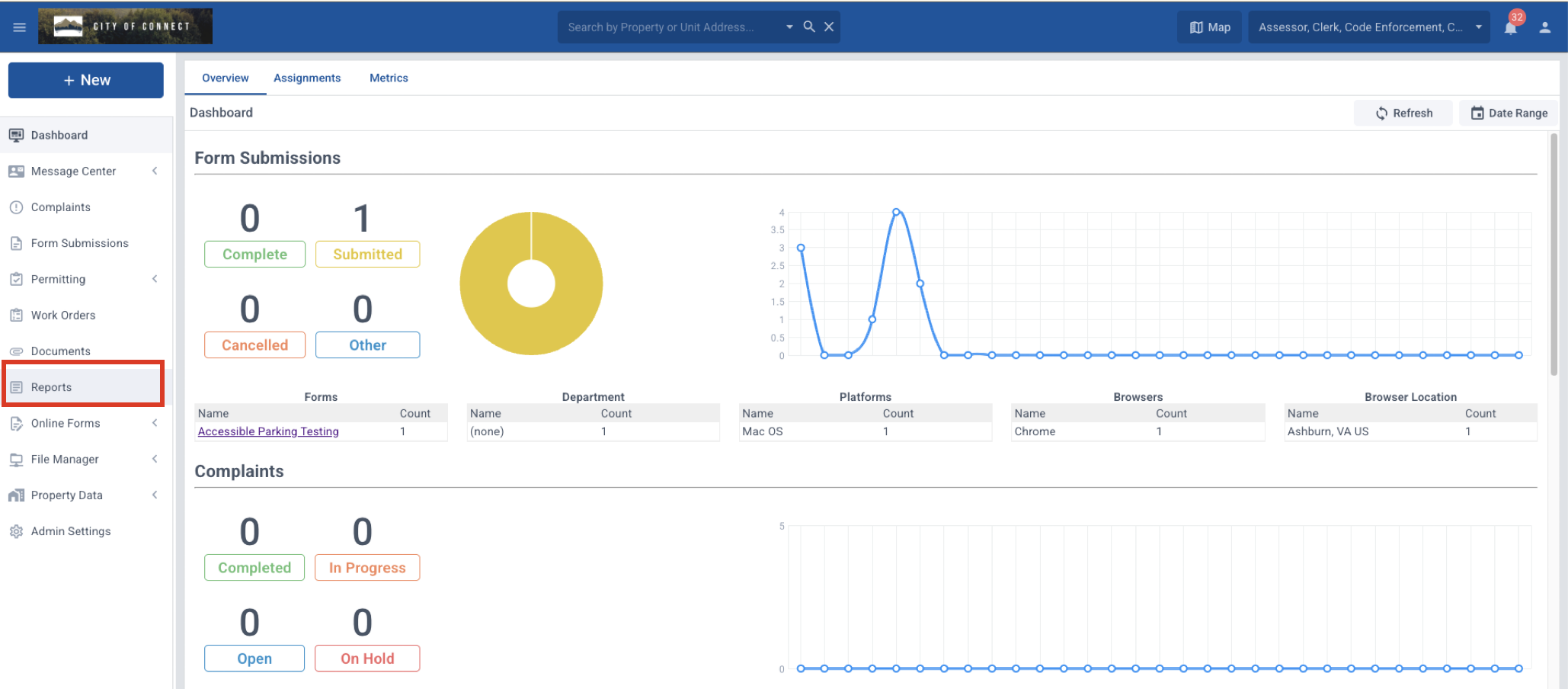
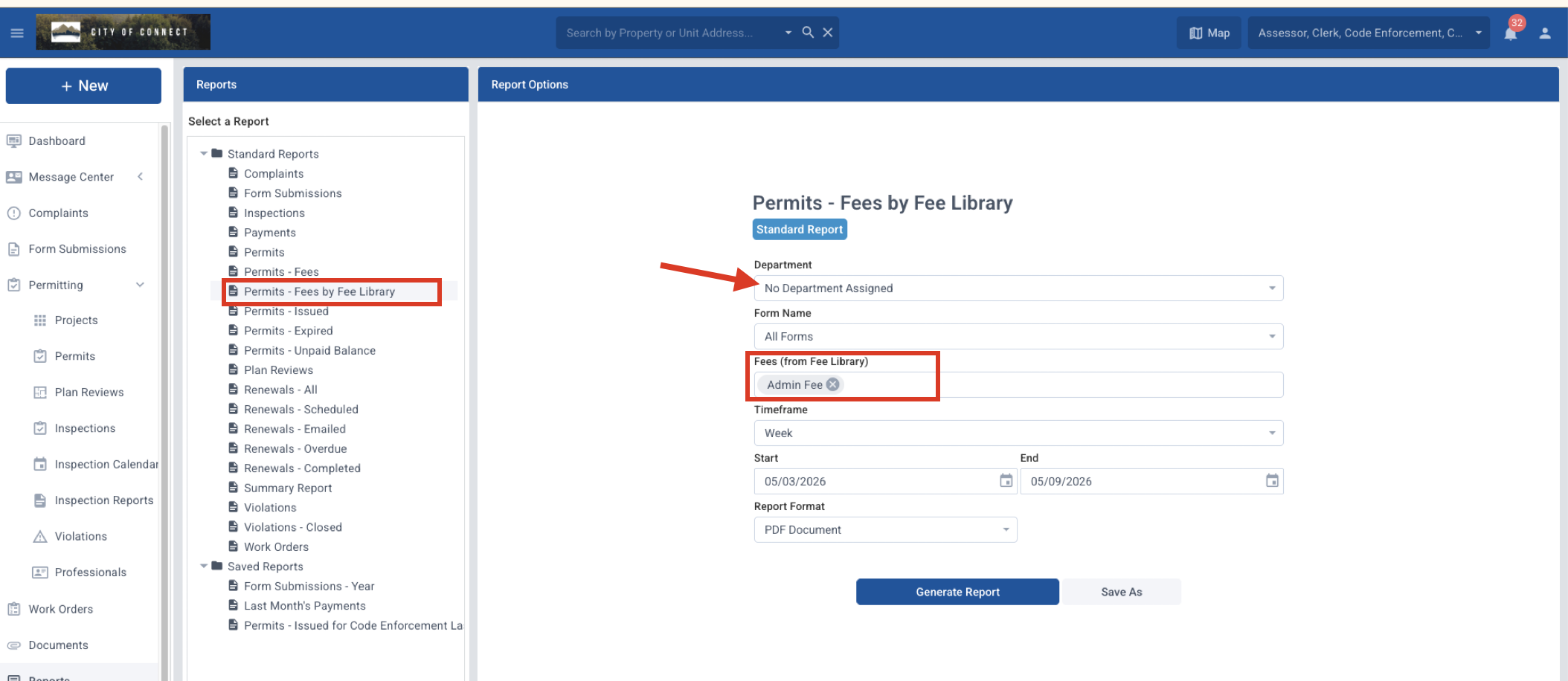
Then choose the "Permits - Fees by Fee Library" option. You must choose a department. You can leave it for "All Forms" or choose a specific form.
Under Fee, select one or more fees from the dropdown list to include in the report.
If you select a timeframe, it will enter the date range automatically.
Notes:
- This will not include fees added manually.
- If you change the name of the fee, it will affect the report.