Property notifications in Connect can be used to tag properties with values of your choice. This might be items such as rental property, dangerous animal, flood zone, historical district, etc.
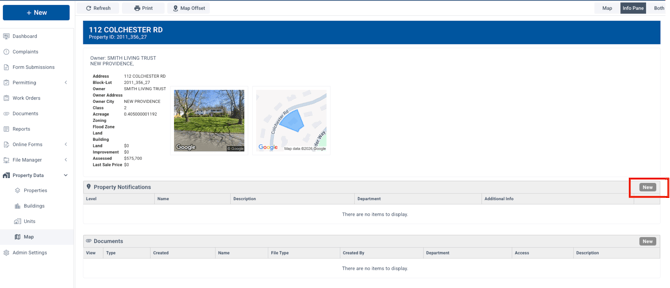
Property notifications can be set up in two places. The simplest is on a property page. Open the property that needs the tag. In the "Property Notifications" section, click on "new" on the right.
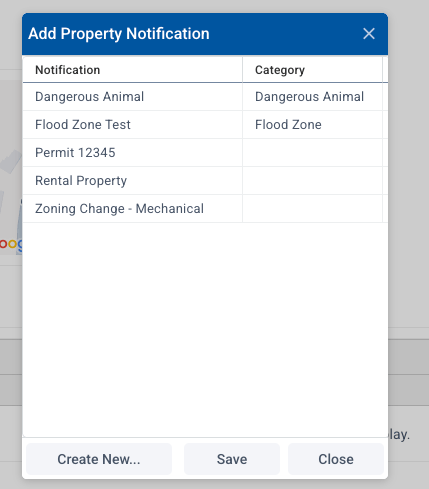
The "Add Property Notification" window will pop up. To add an existing notifcation to this property, select it and choose "save."
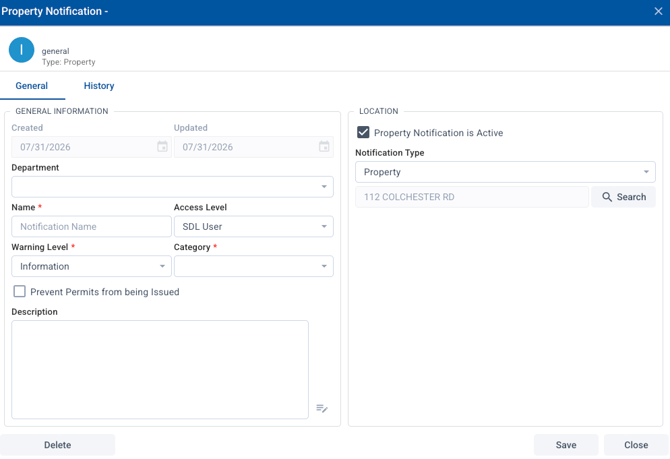
To create a new notification, select "create new." That opens a new window that allows you to set up a new notification in your system. You can set up the details for the notification here, then choose save. This creates the notification and applies it to this property.
To remove a notification from a property, click on the trash can icon on the right:

You can also access property notifcations from Admin Settings / Property Notifications. Here you can add or delete notifications as well as mark them inactive or add to multiple properties at one time.