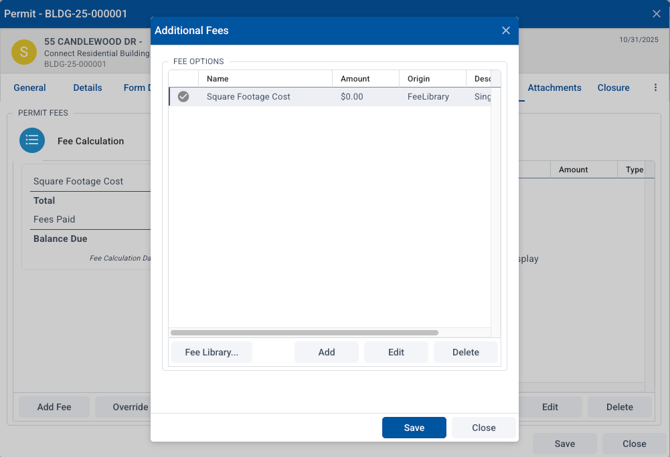
To edit fees that have been charged on a permit or form submission, open the record, then go to the Fees tab.
Exempt or Waive Fees
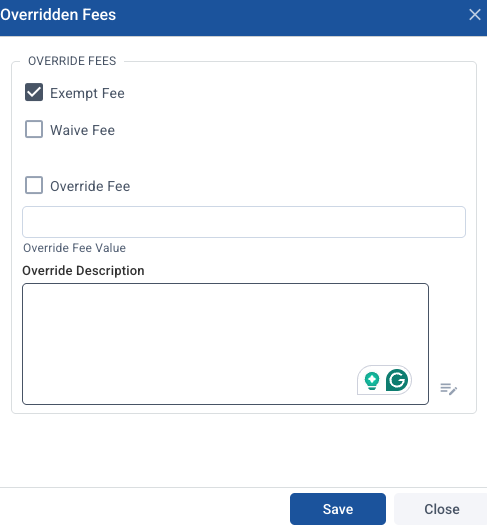
If you want to exempt a fee, choose exempt. If exempt is marked, all fees will cleared and the total will be $0.
To waive a fee, do the same process except choose Waive fee. It will also reduce all fees to $0.
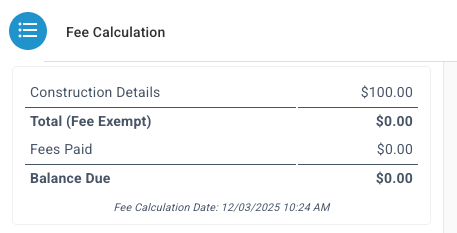
Note: If you waive or exempt fees, any future fees will not be added either.
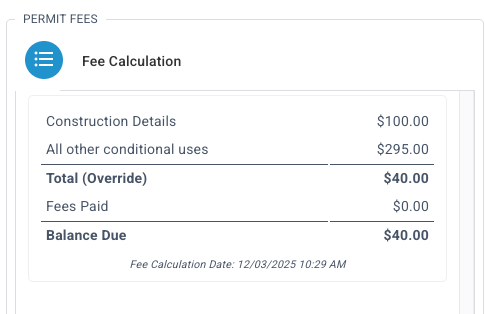
Override Fee Total
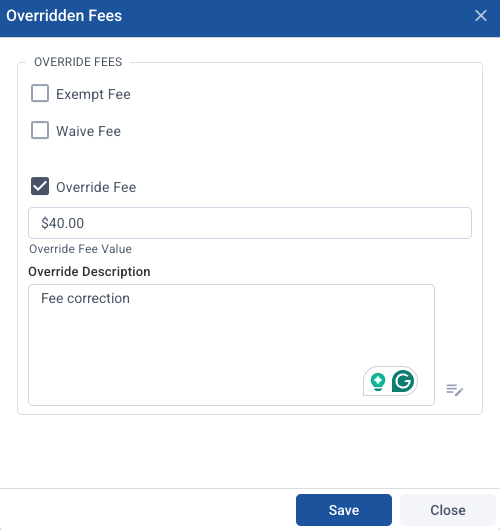
To edit a fee, choose Override Fee and enter what the new fee should be in the Override Fee Value Box. You can choose to add a note if you wish:
Remove Specific Line Item Fee
If a fee was added through the "add fee" option, not as a default fee in the form, you can remove it this way. If the fee is a default fee in the form, use the Override option above to edit the total.
To remove a fee added from the fee library, choose Add Fee, select the fee you want to remove and choose Delete.