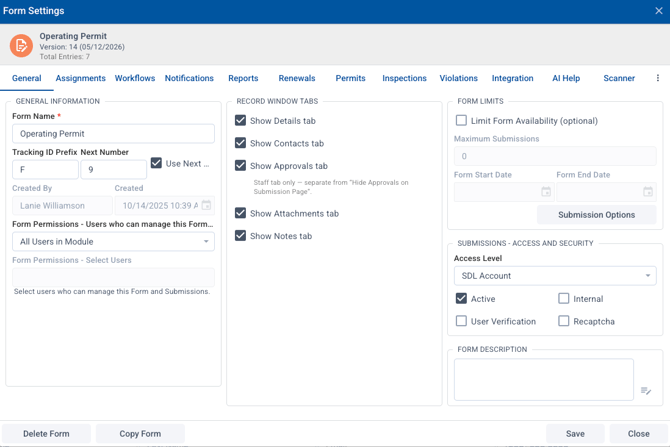
In SDL Connect, you have the option to hide certain tabs in the submission records if not needed.
To do this, go to Form Designer and open the specific workflow you want to edit.
In the General Tab, under Record Window tabs, you can uncheck specific tabs. Note this will hide it for all records for that form or permit workflow.